


Analytics & Reporting March 2026 Release Notes
Timeline
When will this be released?
March 18th 2026, 3 PM PST
Is there downtime for this release?
No
Recruitment Reports Enhancement
Eligible List Candidate Comments
Insight users with Report Builder access can now include candidate-specific comments from eligible lists in their reports. This enhancement addresses a previous limitation where only the general Eligible List comment was available, leading to reporting inaccuracies.
The new Comment field has been added to the Eligible List Candidate entity within the Report Builder for recruitment reports, ensuring that the correct, candidate-level comments are accessible for accurate reporting. If a candidate has multiple comments, they will appear in the same row, separated by commas.
This change is available for the next reports:
- Applicant with Job Application and Eligible List (only for reports using live source)
- Applicant With Referred List And Offers/Hires
- Applicants with Requisitions and Eligible List/Referred List/Offers/Hires
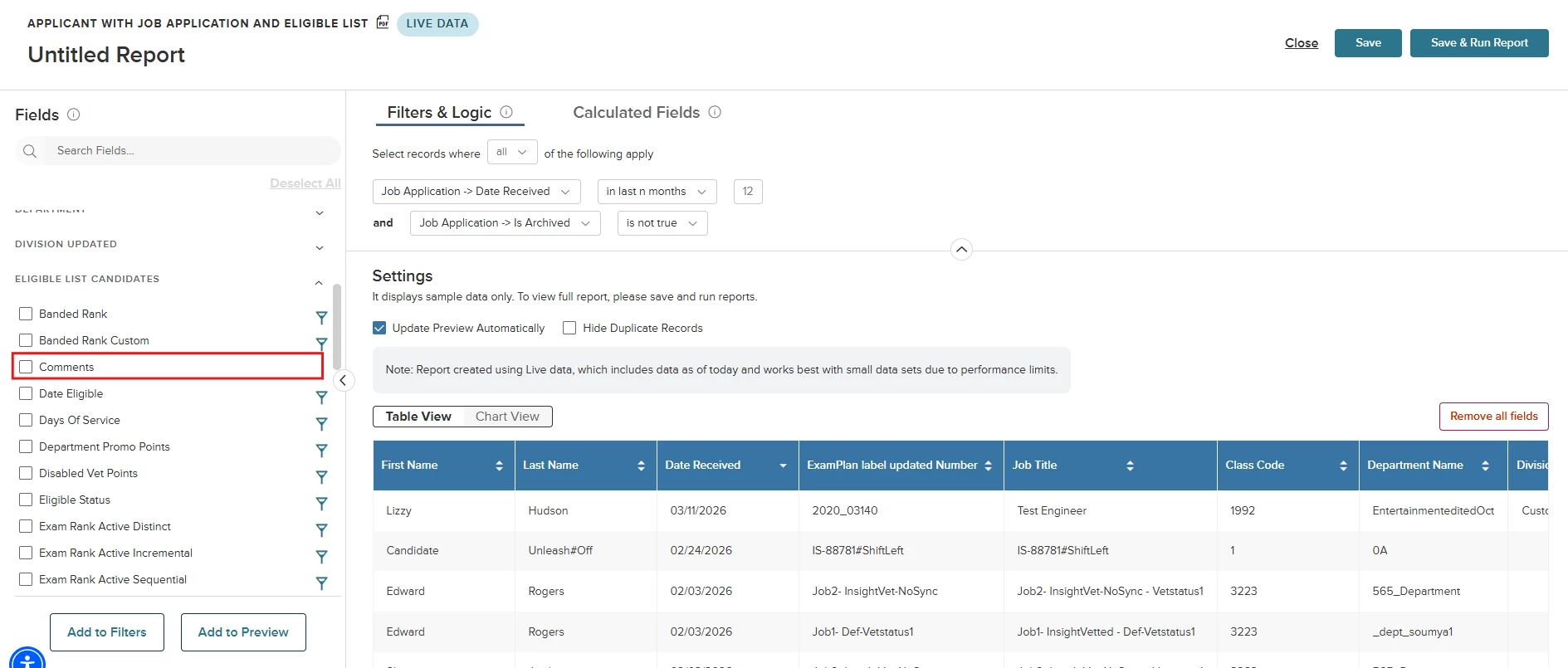
Report Builder> Create report > Recruitment reports > Eligible List Candidates > Comment field
Value
This enhancement increases transparency and detail in reporting, offering HR and report users more comprehensive data.
Audience
Insight users with access to Report Builder.
Example
- A user creating a recruitment report can now add comments directly related to individual candidates, which enhances the clarity and usefulness of the report for decision-making processes.
Requisition Lifecycle Report Enhancement
Previously, the Requisition Lifecycle report incorrectly displayed an "approved" status under the "Action Taken" field for all members of an approver group once a single member approved the requisition.
With this enhancement, when a requisition is assigned to an approver group with multiple members, the report will now accurately display only the specific individual who performed the approval action.
Below, we will outline how approval group members will be displayed in the report, depending on the action they take.
- Pending: All members of the approval group are visible, and the "Action Taken" field shows "Pending."
- Approved: Only the member who approved the step from the group will be visible.
- Denied: since a requisition moves back to the previous step, all group members will show a "pending" status in the "Action Taken" field.
- Hold: All members of the approval group are visible, and the "Action Taken" field shows "Hold."
Value
This enhancement serves to bolster audit and monitoring capabilities for RB users, ensuring greater clarity in approval processes. It provides a clear view of the decision-makers in the requisition lifecycle, promoting accountability and precision in reporting.
Audience
Insight users with access to Report Builder.
Example
- When examining a requisition with approval groups, RB users can now easily identify not only who was responsible for approvals but also pinpoint the exact individual who served as the final approver and which action they took.
Email Attachment: Limitation of Recipients
To optimize the use of recruitment report subscriptions, we are implementing a new restriction on the "email attachment" subscription type, which is currently only available for recruitment reports.
With this enhancement, users are now able to add up to 50 recipients for this subscription type. This limit applies only to new reports created after this release.
Next to the recipient field, you will see a tooltip that indicates the new limitation.
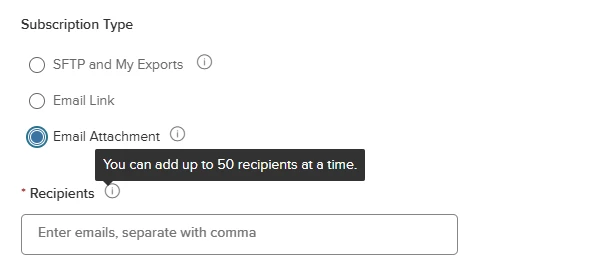
Report Builder > Recruitment reports > Settings > Add new subscription
Note: Any existing recruitment email attachment subscription with more than 50 recipients will continue to work as is, and no errors will occur.