


Report Builder - Licenses and Certificates fields
Licenses and Certificates fields are available for recruitment reports
You can now include licenses and certificates information from job application directly in your recruitment reports.
Easily pull license and certification data into your Applicant with Job Application and Eligible List reports to get a complete view of candidate qualifications at a glance.
Note: Select Live Source as your data source to use these new fields in your Applicant with Job Application or Eligible List reports. Support for the historical source will be coming in a future releases.
How it works
-
Open your Applicant with Job Application or Eligible List live report.
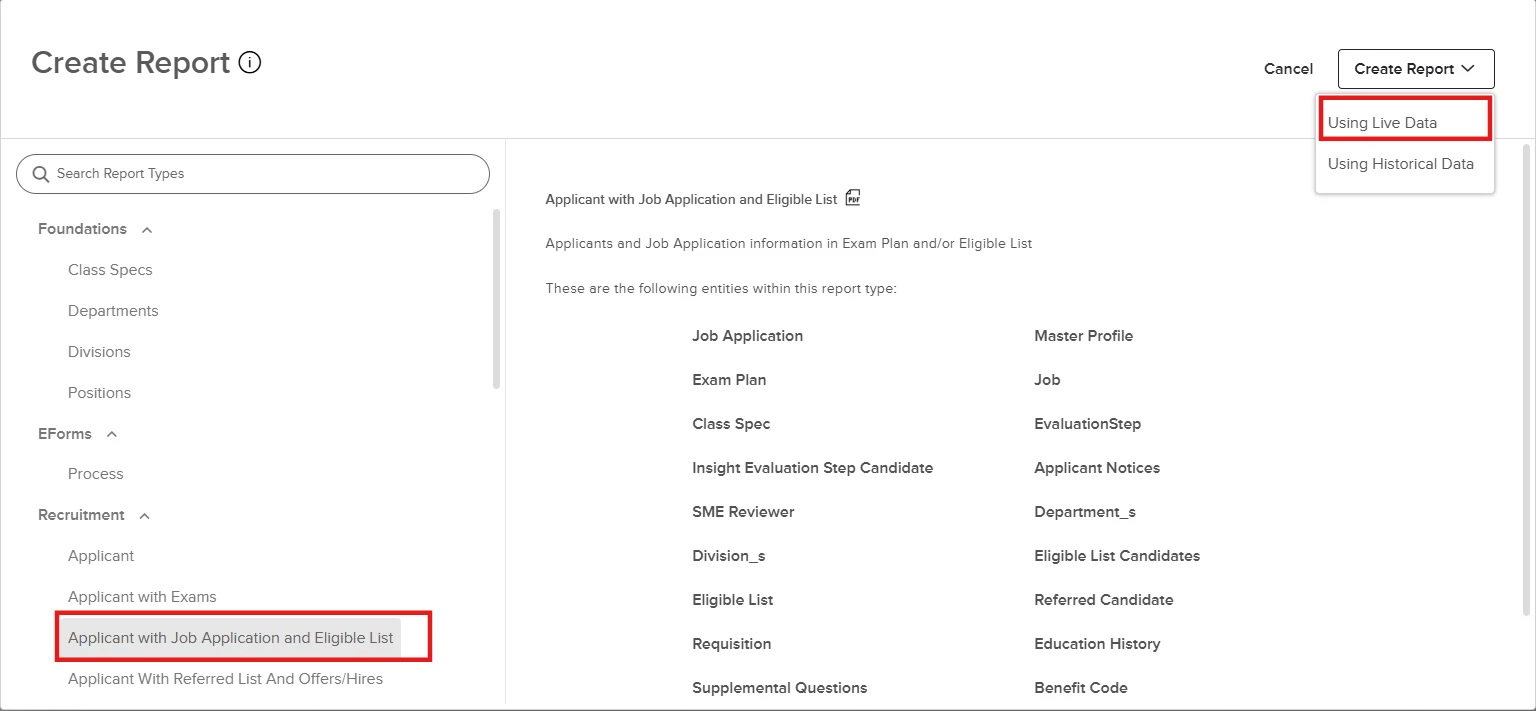
-
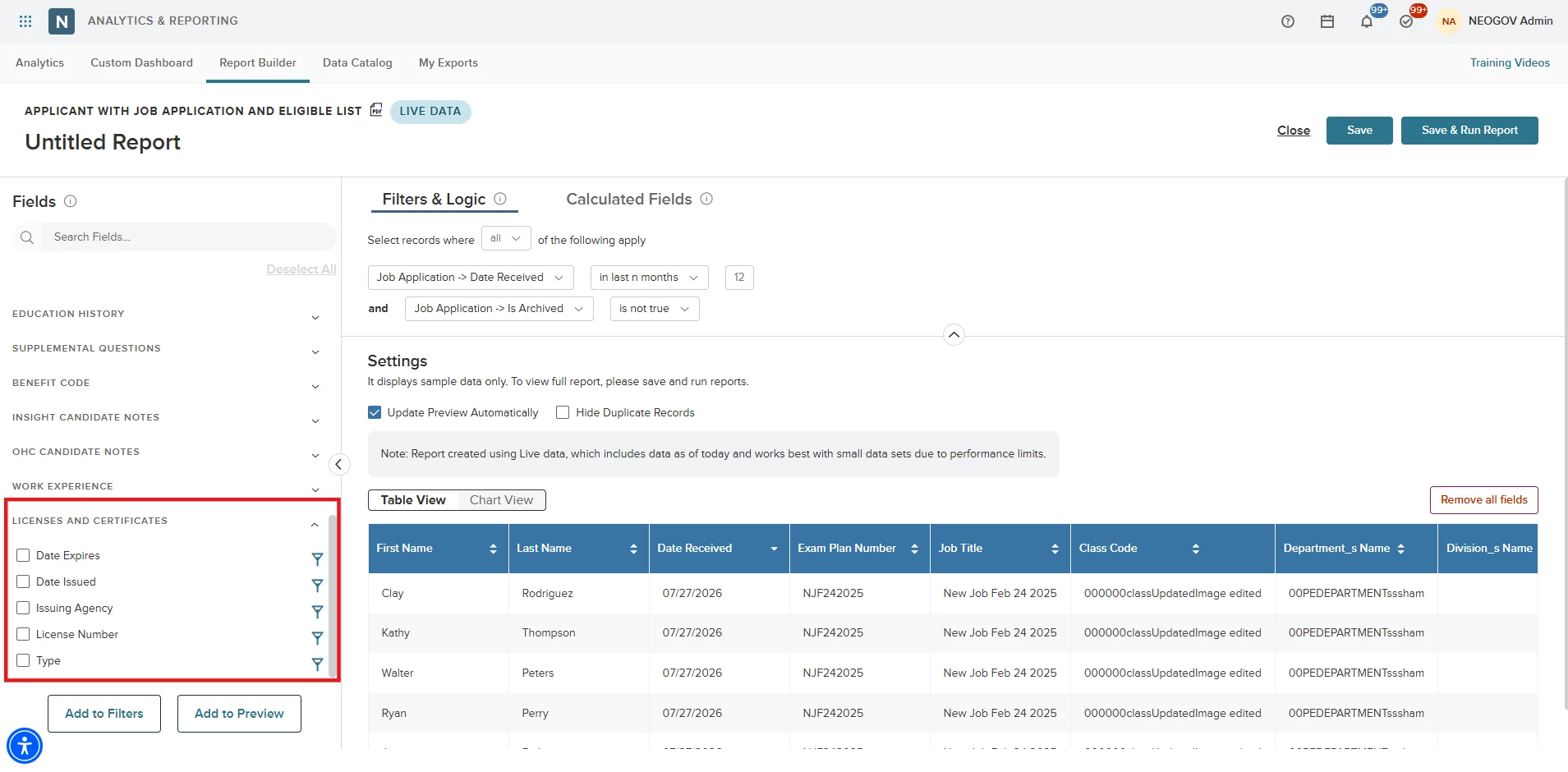
Select the Licenses and Certificates section from the left panel.
-
Add any of the following fields as columns or filters:
-
Type
-
License Number
-
Issuing Agency
-
Date Issued
-
Date Expires
-
-
Tip: Incorporate these fields into visual charts or custom calculated fields to extract deeper reporting insights.
Value
Provides a complete view of candidate credentials within a single report, streamlining the verification of professional requirements.
Audience
Insight users with Report Builder access.
Example
A recruiter can filter a list of eligible candidates to show only those with an active "Professional Engineer" license that expires after 2026.