



eForms Release Notes Summer 2026
Article Links
Timeline
When will this be released?
UAT Preview Window
- AI Writing Assistant: AI features are currently not available on UAT, but will be disabled in production by default.
- Preferred Name: July 2, 2026.
Production Availability: July 30, 2026.
Is there downtime for this release?
No.
eForms Summer Enhancements Overview
This quarter, we are introducing powerful AI capabilities and deeper organizational flexibility to eForms. The AI-powered writing assistant will help HR admins craft better instructions for task descriptions, email notifications, and process descriptions. To address compliance needs, we have also increased support for preferred names throughout the system.
AI Writing Assistant
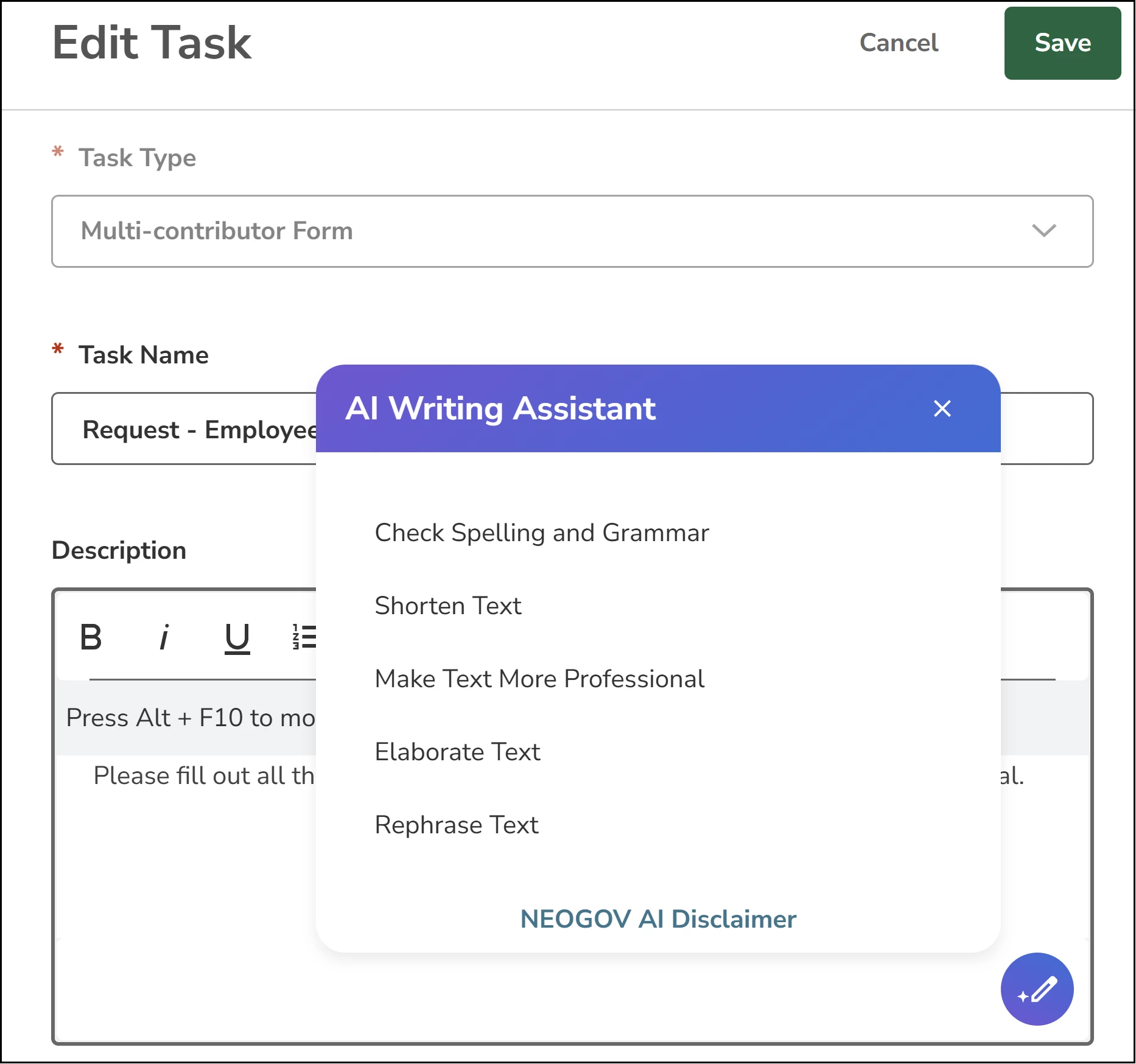
HR admins can now use NeoAI to refine and optimize text within eForms. This tool is built directly into the Rich Text Editors (RTE) used for process instructions and email notifications.
How it Works
When editing a task description in the process builder, a notification template, or process description (Overview and Things You’ll Need) you can select text to reveal the AI Writing Assistant icon.
Supported Actions: Rephrase, Shorten, Elaborate, More Professional, and Check Spelling/Grammar.
Consent: On the first use per session, you will see a popup that prompts you to accept the use of AI.
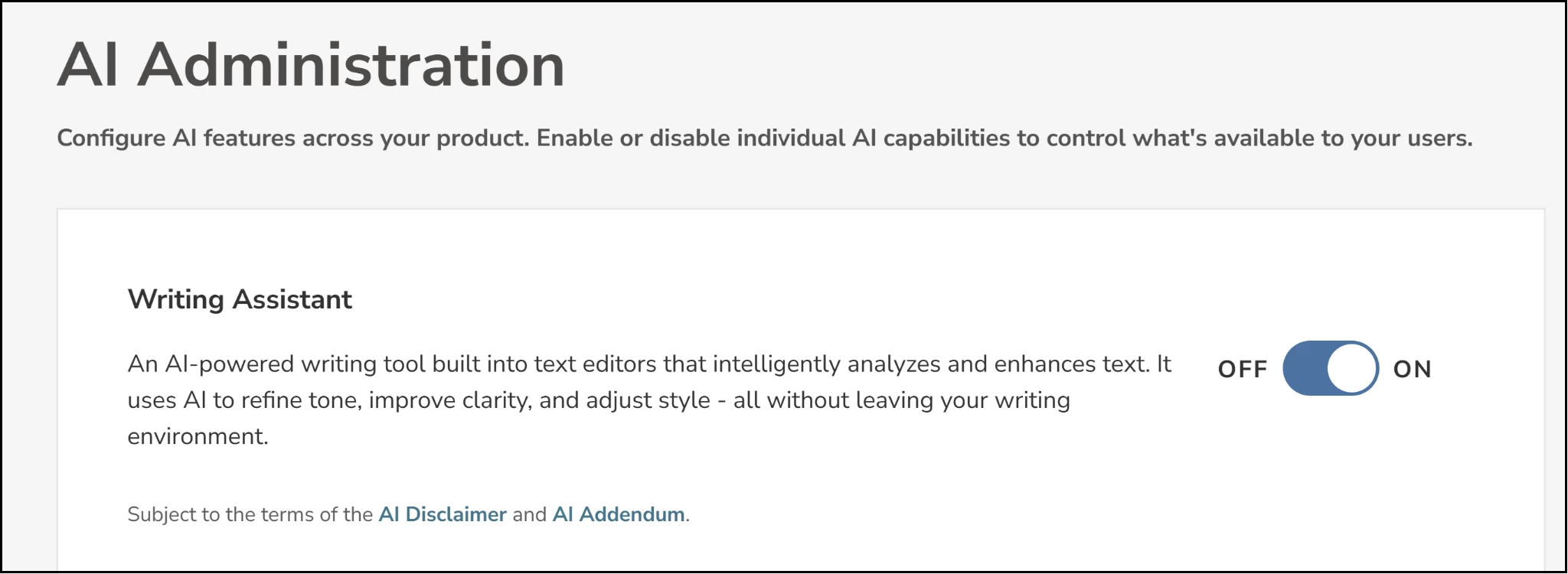
Note: This feature must be enabled by an admin in the new AI Administration settings page.
Value
- Higher Quality Content: Quickly adjust the tone and clarity of instructions for employees.
- Efficiency: Reduces the time spent drafting and proofreading complex notifications.
- Consistency: Helps maintain a professional voice across all agency communications.
Audience
HR admins.
Support for Preferred Name
eForms now supports the display of an employee's preferred name across the application, ensuring a more personalized and respectful experience for all users.
How it Works
If an employee has a Preferred Name defined in the employee record, eForms will now prioritize showing that name instead of their legal first name.
Where it Appears
- Quick Links and Task Lists: Employees will see their preferred name in the dashboard and task headers.
- Process Builder: Assignee names and Enable Employee Visibility views will show the preferred name.
- Audit Trail: Logs for task completions and process starts will record the preferred name. For example, “Completed by [Preferred Name] [Last Name]".
- Email Notifications: Tokens like [Employee Name] will dynamically pull the preferred name if available.
Note: If the employee does not have a preferred name, eForms will continue to use the employee's legal first name by default.
Value
- Inclusivity: Supports agency initiatives for diversity and inclusion by respecting how employees choose to be identified.
- User Experience: Provides a more familiar and friendly interface for employees and managers.
- Consistency: Aligns eForms with the naming conventions used in other HCM products.
Audience
All users (employees, managers, and admins).
Appendix: Bugs Resolved
No additional bug fixes outside of the maintenance releases. Refer to the maintenance release notes for more details.
Related Resources