October 8, 2026 Insight Release Notes
Timeline
When will this be released?
Insight Updates: Thursday, October 8, 2026, between 4 - 7 PM PDT
Career Page Updates: Tuesday, October 13, 2026, between 1 - 2 AM PDT
Is there downtime for this release?
No
Insight Updates
- Enhanced Applicant First Name Search
We are expanding the First Name search logic on the Applicant Search page to query both Legal First Name and Preferred First Name simultaneously.
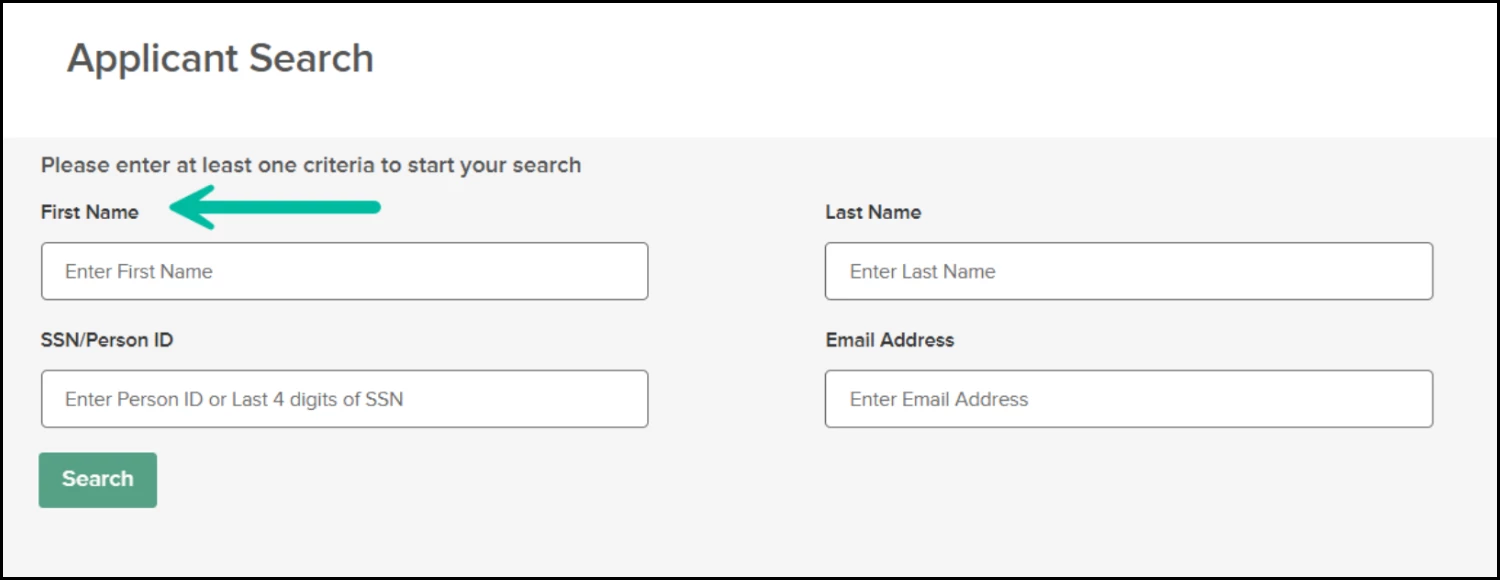
Insight Dashboard → Applicants → Applicant Search
Previous Behavior: The search looked at the Preferred First Name first. If a candidate had a preferred name on their master profile, searching by their Legal First Name would not return the candidate.
New Behavior: When you enter a name into the First Name field, the system will search across both Legal First Name and Preferred First Name. You can find candidates regardless of which name type you enter, eliminating the need to guess which name is on file.
- New Configuration Option - Hide the Preferred Name Field
We have heard feedback from some of our customers that, due to specific internal business processes, they require the Legal First Name to be the only name visible across the system and not the Preferred First Name entered by the job seeker on the job application.
If prioritizing the legal name is important to your workflow, you will now have the capability to stop collecting the preferred name on applications entirely. When the preferred name application field is hidden, job seekers will not be asked for a preferred name on the job application, and only legal names will flow into Insight, OHC, and Self-Service Recruiting.
If you would like to utilize this option after the release, your system administrator will be able to update it in three quick steps:
- Go to Admin > Configuration Settings > Application Fields
- Find the "Preferred First Name" field
- Set the visibility to "Hidden"
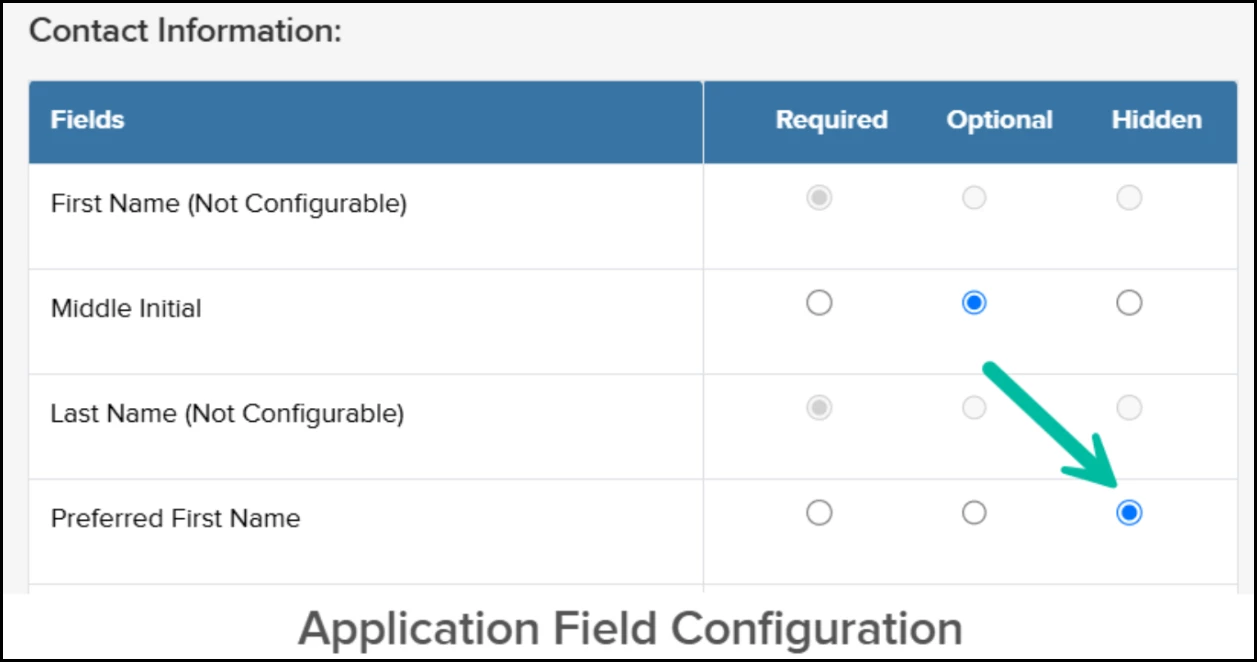
Insight Dashboard → Admin Settings → Configuration Settings → Application Field → Preferred First Name
Please note: Hiding this field is completely optional. If your organization wishes to continue collecting and using preferred names, no action is required, and your team can immediately take advantage of the newly improved search functionality once the release is live.
Career Page Updates
- Enhanced Search & Filter Capabilities on Career Pages
Based on your feedback, we’ve upgraded search and filtering across Career Pages to help candidates find the right opportunities faster:
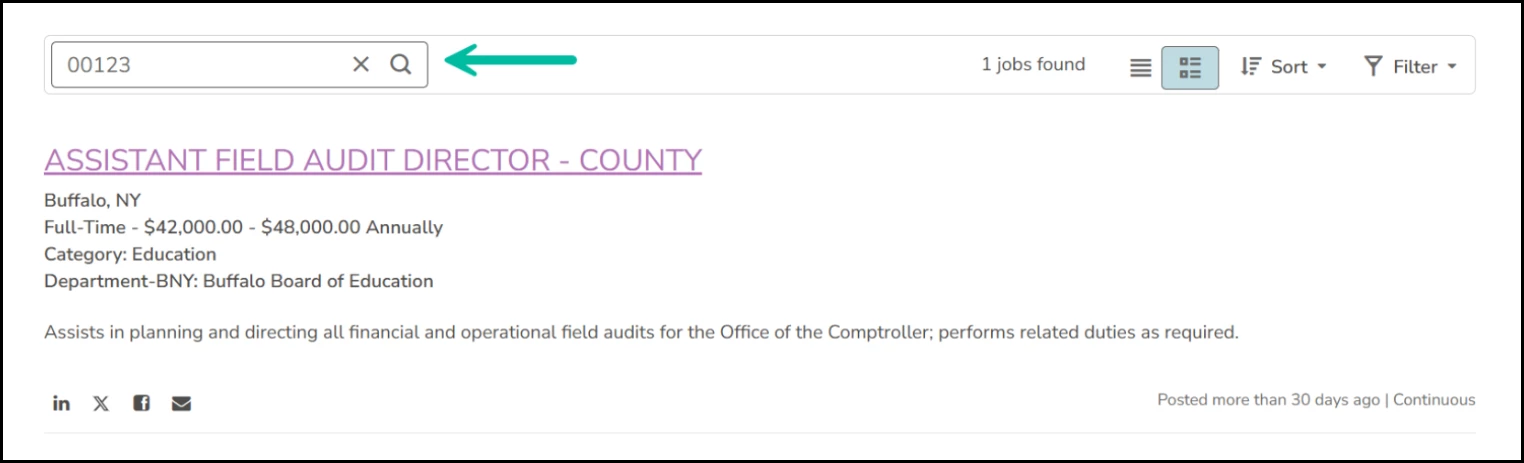
- Job Number Search: Candidates can now search directly by Job Number. When an exact match is found, the specific posting will immediately appear at the top of the search results.
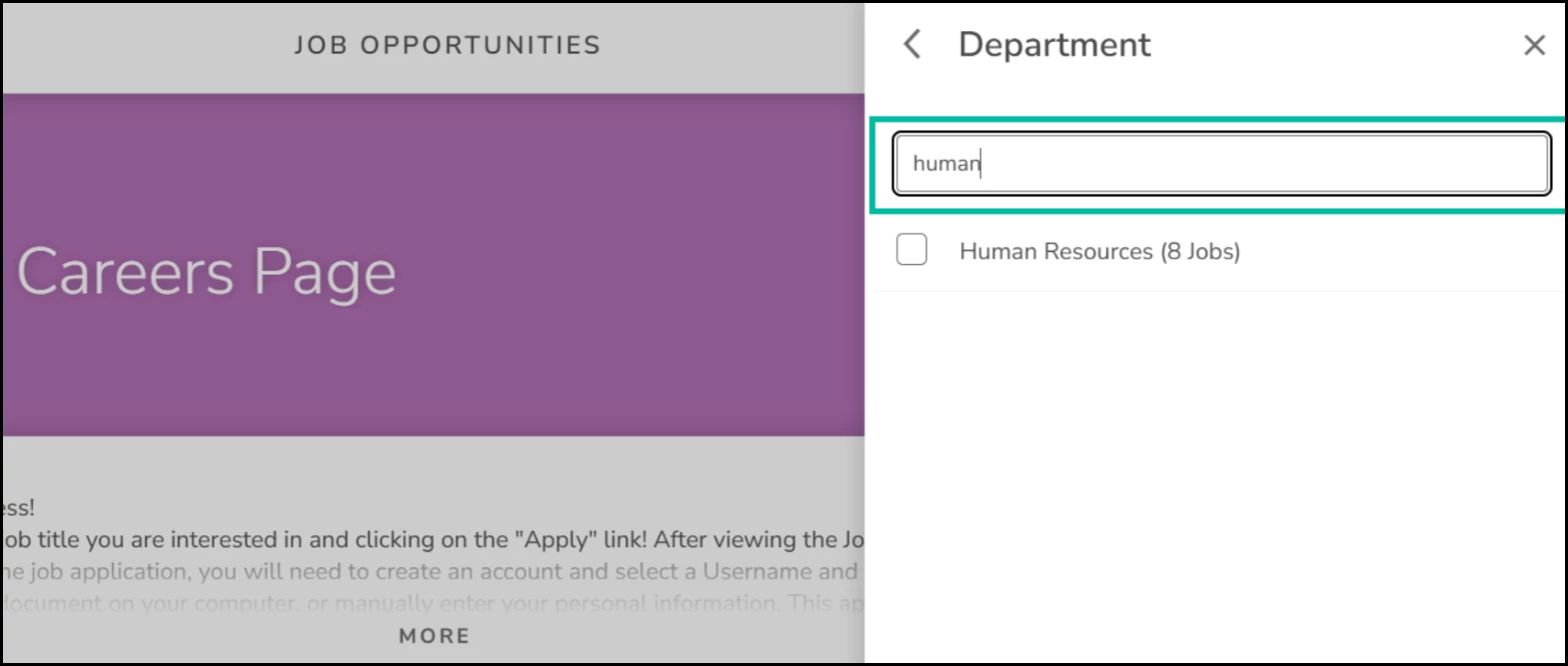
- Expanded Filter Search: Navigating long filter lists is now much easier. Candidates can search directly within filter criteria, such as Department or Location—whenever a category has more than 10 options available