



Insight Winter 2026 Release Notes
Article Links
Timeline
When will this be released?
UAT Preview Window: January 20, 2026, 4 AM PDT
Production Availability: February 19, 2026, 4 AM PDT
Is there downtime for this release?
No.
Incomplete Application Setting
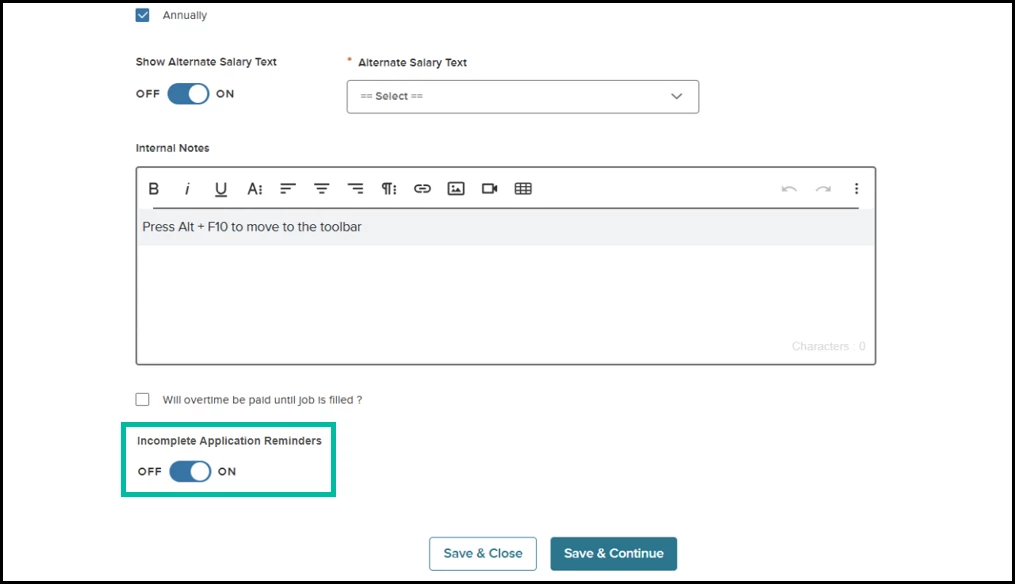
For job postings that require more precise control over applicant communication, the Incomplete Application Reminders setting provides a flexible way to manage incomplete application reminders, ensuring candidates receive only messages aligned with your hiring process.
When enabled, the new agency-level setting allows you to configure incomplete application reminders on a per-posting basis. Each job includes a toggle to enable or disable these notifications.
To use the feature, Insight Administrators must first turn on the ‘Enable Incomplete Application Reminders per Job Posting’ feature under Admin > Agency Preferences. Once the setting is enabled, the new ‘Incomplete Applications Reminder’ will be visible when adding or editing a job posting.
Example
If a posting remains open but you no longer want applicants with incomplete applications to receive reminder emails, you can disable reminders directly on that job.
Value
Provides recruiters with control over automated email notifications that alert candidates to incomplete applications, allowing them to turn off the feature for specific job postings as needed.
Audience
Recruiters
Job Type as Required Field on Requisition
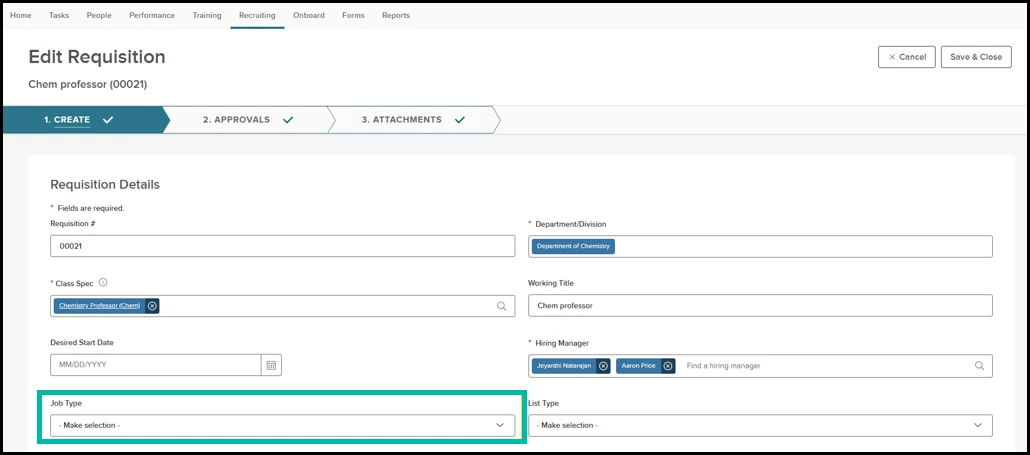
This enhancement ensures Insight always captures the Job Type field when you create a requisition. Since job type plays a critical role in triggering approvals and is required for job posting and feed integrations, making it mandatory on requisitions helps maintain data consistency and reduces errors. Now, when adding or editing a requisition in Insight or Unified/OHC, the Job Type field is required.
Value
This update improves workflow reliability and ensures that every requisition proceeds with the complete information required for accurate processing.
Audience
Insight and Unified/OHC with requisition permissions.
Bulk Inactivation on Eligible List
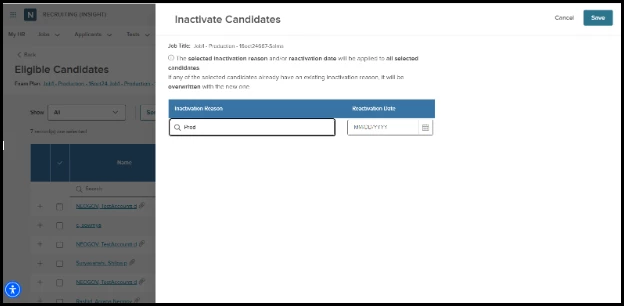
For agencies that manage large eligible lists and often need to inactivate multiple candidates at once, this enhancement streamlines the process by allowing you to apply a single inactivation reason and inactivation date to all selected candidates in bulk. Instead of manually entering details for each selected candidate, users select the appropriate reason and date in a single step, reducing repetitive work and ensuring consistent data across the list.
Value
This improvement saves time, eliminates manual errors, and supports efficient, high-volume list management for teams handling large applicant pools.
Audience
All users who manage Eligible Lists and perform candidate inactivation actions.
Bulk Schedule Interviews in Unified/OHC
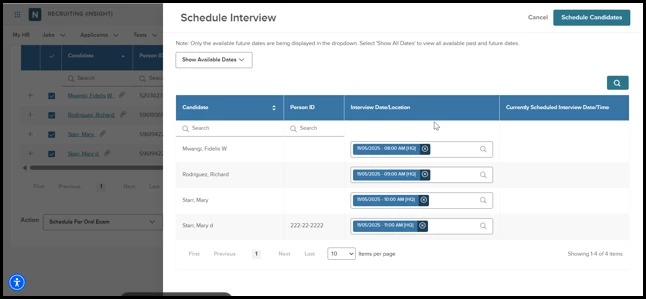
For customers managing high-volume interview scheduling, this update introduces a new Bulk Schedule interface in Unified/OHC that significantly reduces manual effort and makes coordinating interviews faster and more efficient.
Users with permission to schedule interviews can now select multiple candidates from the requisition and launch a streamlined scheduling flyout that displays available interview slots, applies preconfigured dates and times, and provides clear guidance when setting up slots or when conflicts occur. The scheduling allows users to search, filter, and assign slots while preventing double-booking and respecting candidate permissions.
Value
By enabling agencies to schedule many candidates at once with fewer clicks, this enhancement supports smoother workflows, reduces repetitive scheduling tasks, and helps teams keep hiring timelines on track as they manage large applicant pools.
Audience
Unified/OHC user with Requisition access permissions.
Due Dates on Interview and Exam Steps
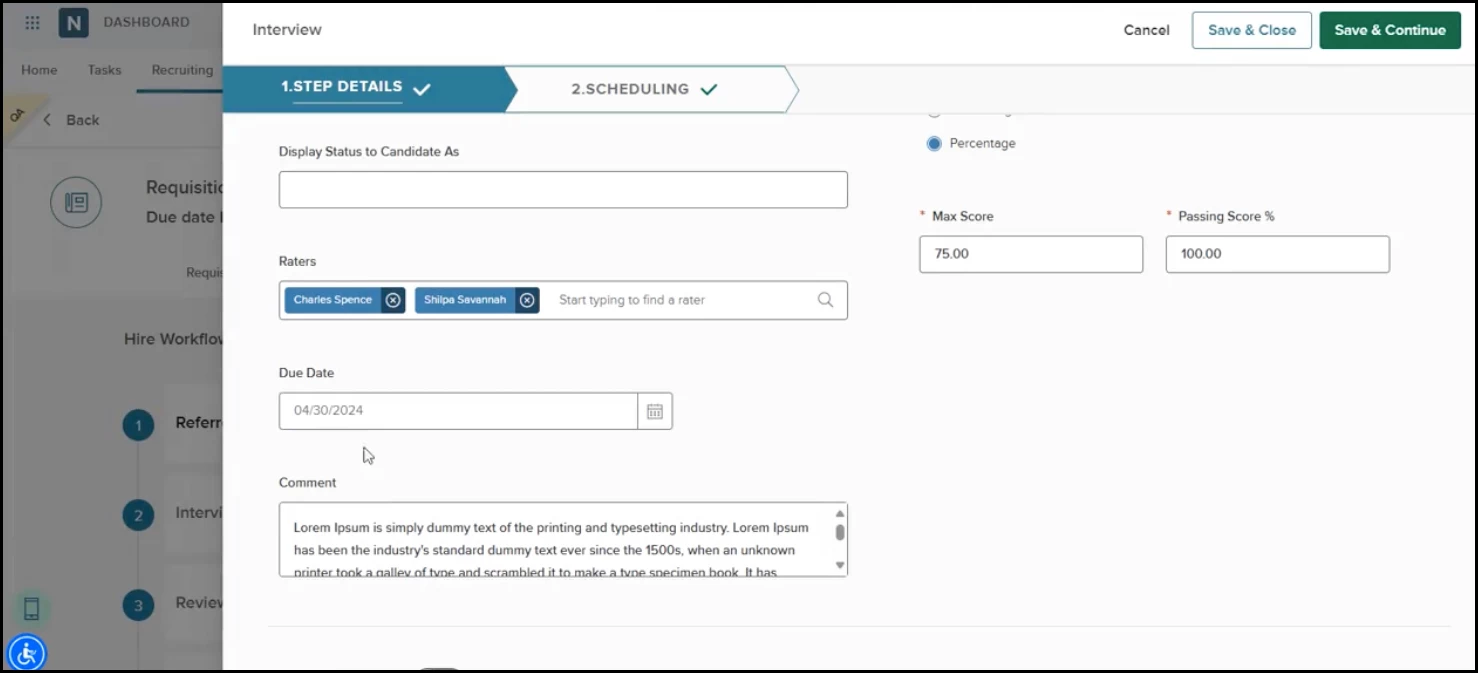
This enhancement introduces the ability to set due dates for Interview and Exam steps when customizing a requisition’s hire workflow. Similar to the existing Review step functionality, recruiters can now set a specific due date directly on these steps, ensuring that generated tasks reflect the intended timelines rather than relying on auto-calculated defaults. If you enter a due date, OHC uses that value for both the task and its reminder notifications; otherwise, it continues to apply the standard seven-day timeframe.
Value
This improvement brings greater control, accuracy, and alignment across all task-driven steps, helping employers manage deadlines more effectively and keep their hiring workflows running smoothly.
Audience
Unified/OHC user with Requisition workflows access permissions.
Appendix: Bugs Resolved
No additional bug fixes outside of the maintenance releases. Please refer to the maintenance release notes for details.
Related Resources