



Analytics & Reporting: Fall 2026 Release Notes
Article Links
Timeline
When will this be released?
UAT Preview Window: October 1st, 2026
Production Availability: October 29th, 2026
Is there downtime for this release?
No.
AI Summary and Custom Analytics Dashboards
We are excited to announce that with the Fall release, AI Summary and Custom Dashboards are now generally available.
For more details on these features, please refer to our Summer 2026 release notes.
Admin Page
We are excited to introduce a new Administration Page in Analytics & Reporting, providing administrators with a central hub to manage AI-powered capabilities across their organization.
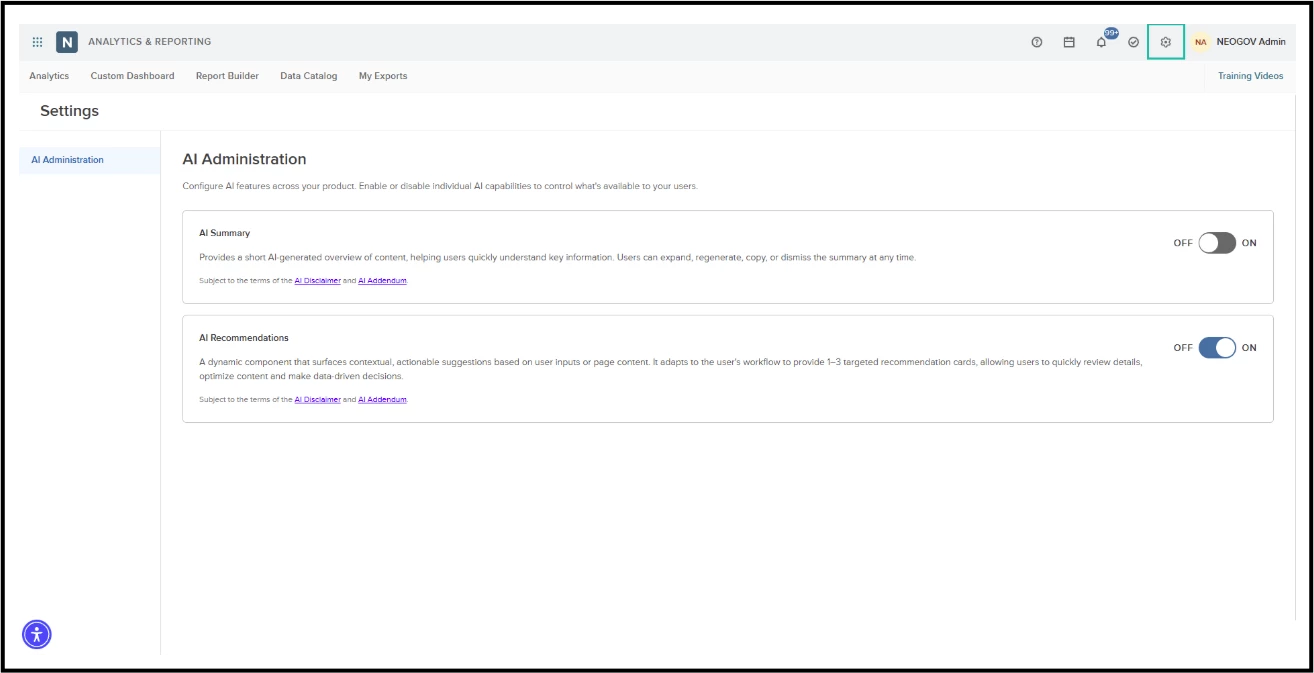
AI Administration
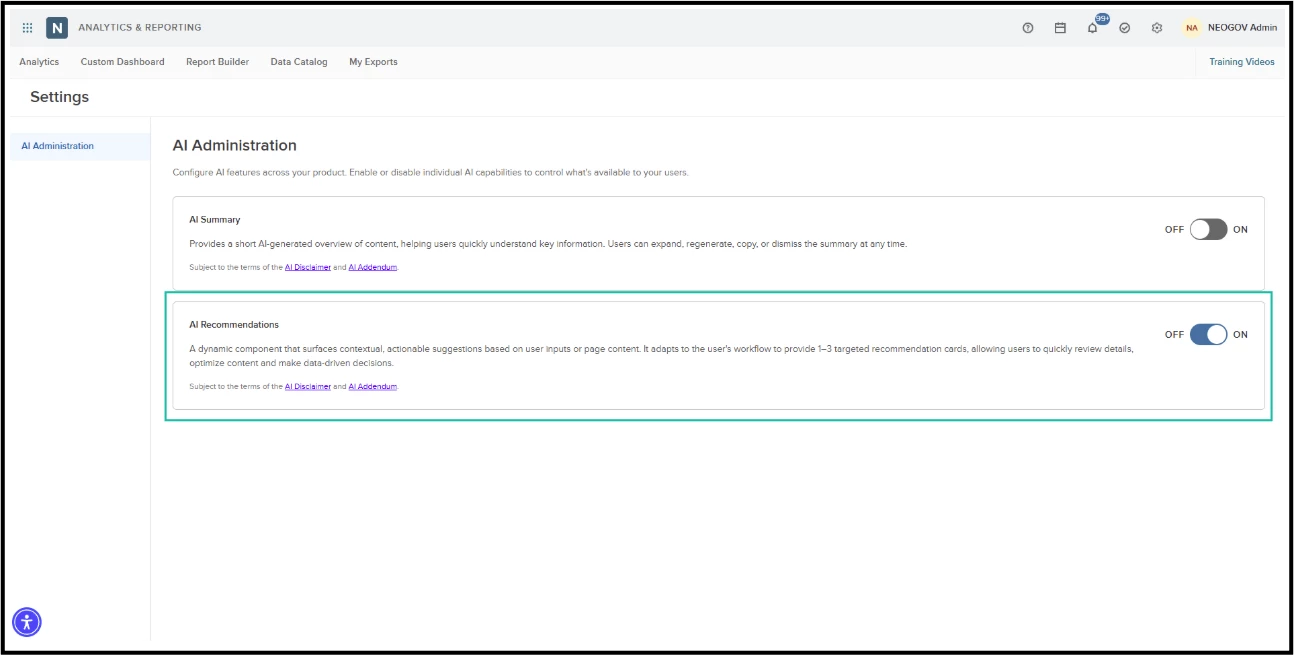
The admin page features an AI Administration section where administrators can toggle individual AI capabilities on or off, including:
- AI Summary – generates automated overviews of dashboard content.
- AI Recommendations – delivers smart suggestions on the Job Optimizer page.
Each capability remains off by default and turns on independently.
Administrators must review and accept the terms of use before activating any AI feature:
- Enabling a feature opens a confirmation window detailing its functionality.
- Administrators must confirm agreement to the AI Disclaimer and AI Addendum before activation.
- Upon confirmation, the system enables the feature and displays a success notification.
- AI Summary becomes available within 30 minutes of activation.
- Cancelling the dialog leaves the feature turned off without applying changes.
Administrators can disable an AI feature at any time with a single click— revoking access immediately without requiring extra confirmation steps.
Access Control
The system controls access to the Administration page through user roles:
- Administrators with qualifying admin roles can view and update settings (refer to the table below for details).
- Users without an administrative role can access the page in read-only mode.
| Product | Role |
|---|---|
| Insight | Analytics administrator and/or Report Builder administrator |
| Learn | HR Admin |
| Onboard | HR Admin |
| eForms | HR Admin |
| Perform | HR Admin |
| Core HR, Benefits, Payroll, Time & Attendance | NGV_AN |
How to Get Started
- Click the gear icon in the top navigation bar of A&R.
- Select AI Administration.
- Turn on the AI features you'd like to make available to your users, and accept the AI terms when prompted.
Job Optimizer
We're excited to announce Job Optimizer, a new feature in Analytics & Reporting that helps you improve the performance of your job postings using AI-powered, data-driven recommendations.
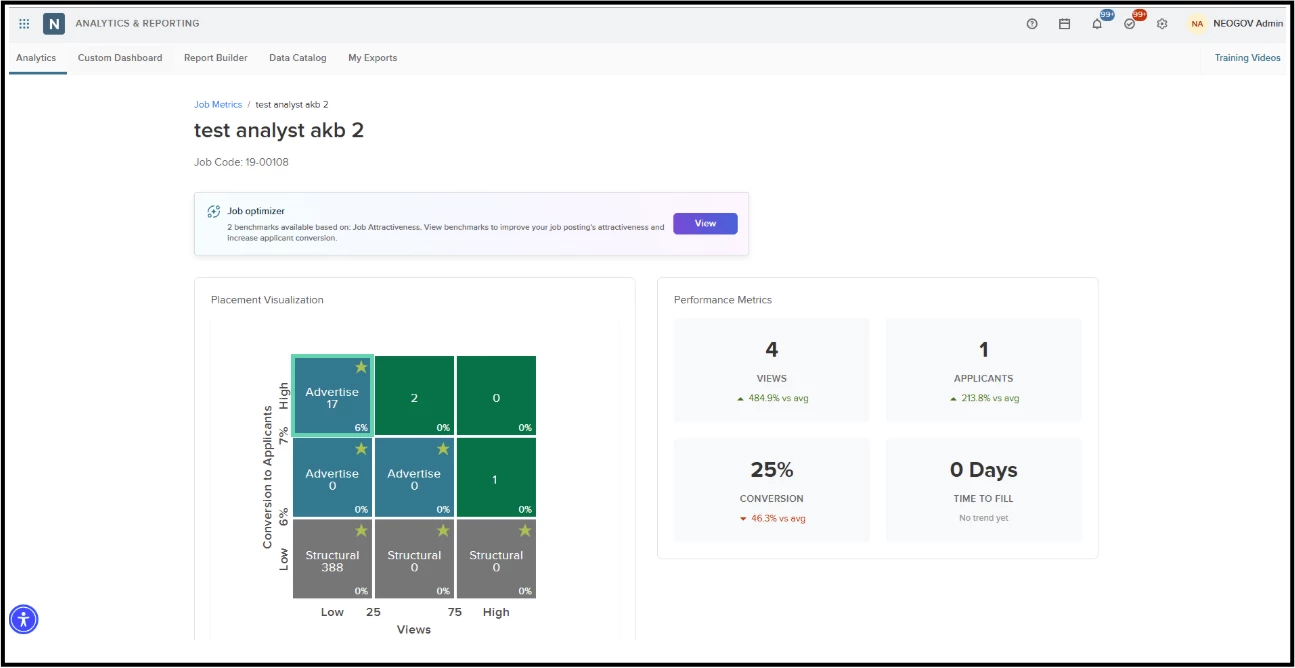
How to Get Started
Job Optimizer is an optional feature. To enable and access it:
- Navigate to the Admin page in Analytics & Reporting.
- Enable AI Recommendations.
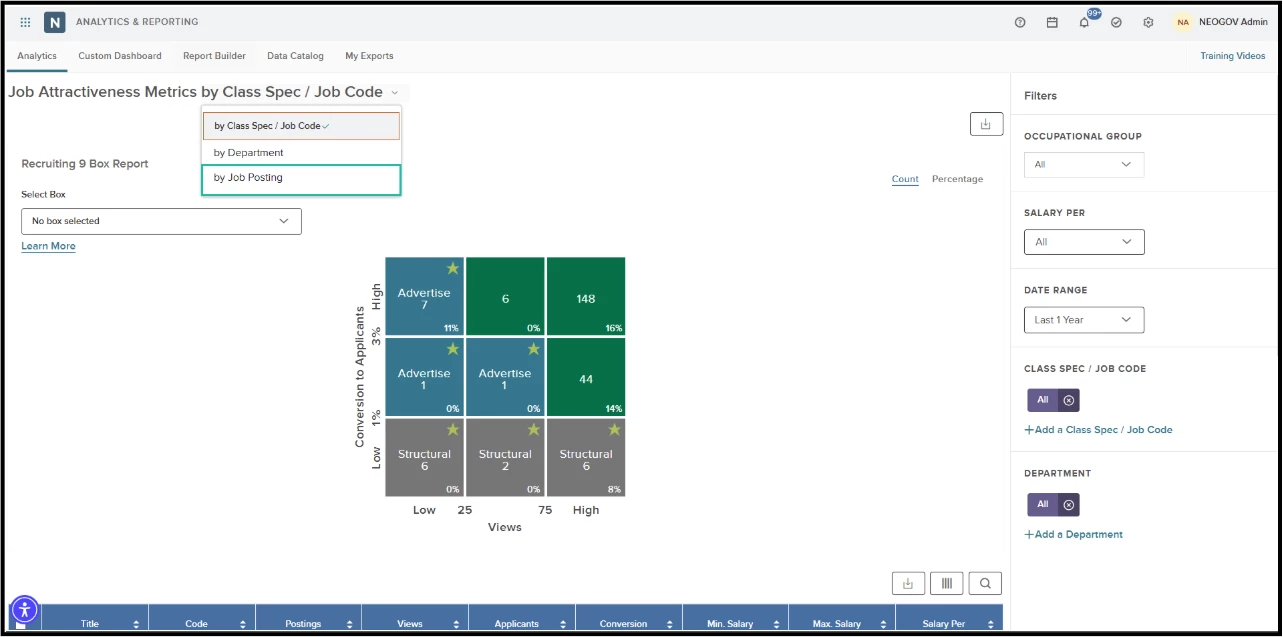
- Go to Recruitment Dashboard > Job Attractiveness.
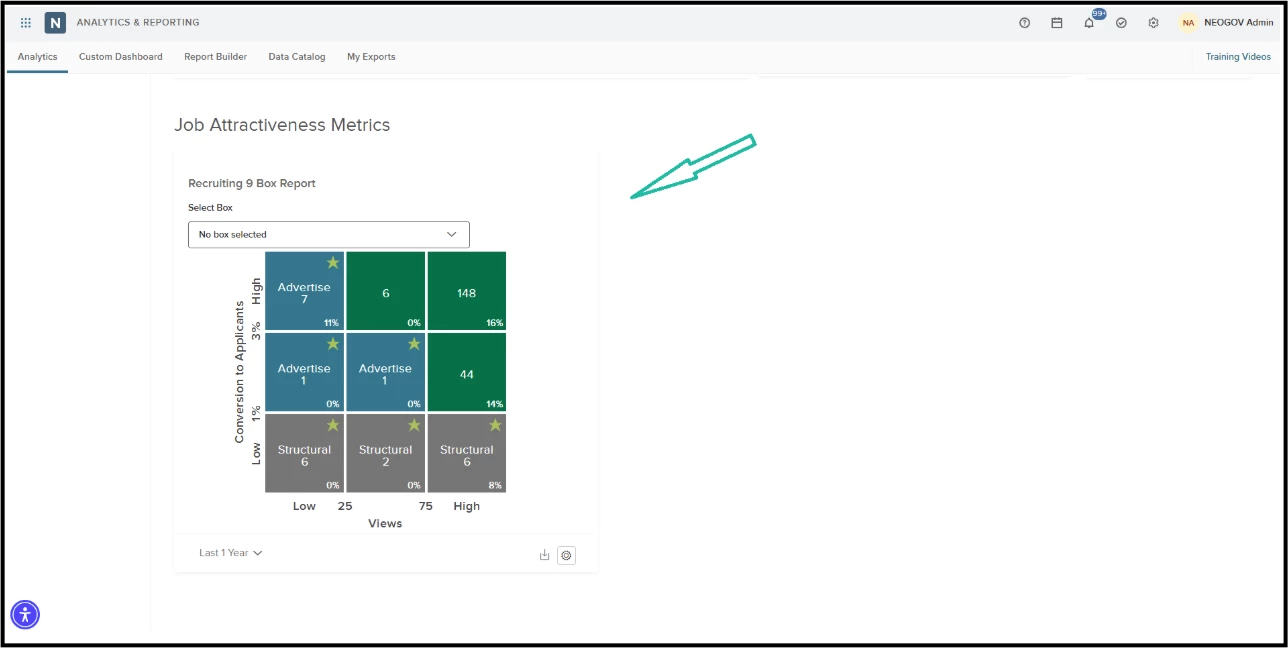
- Select the Job Posting view on the Job Attractiveness page.
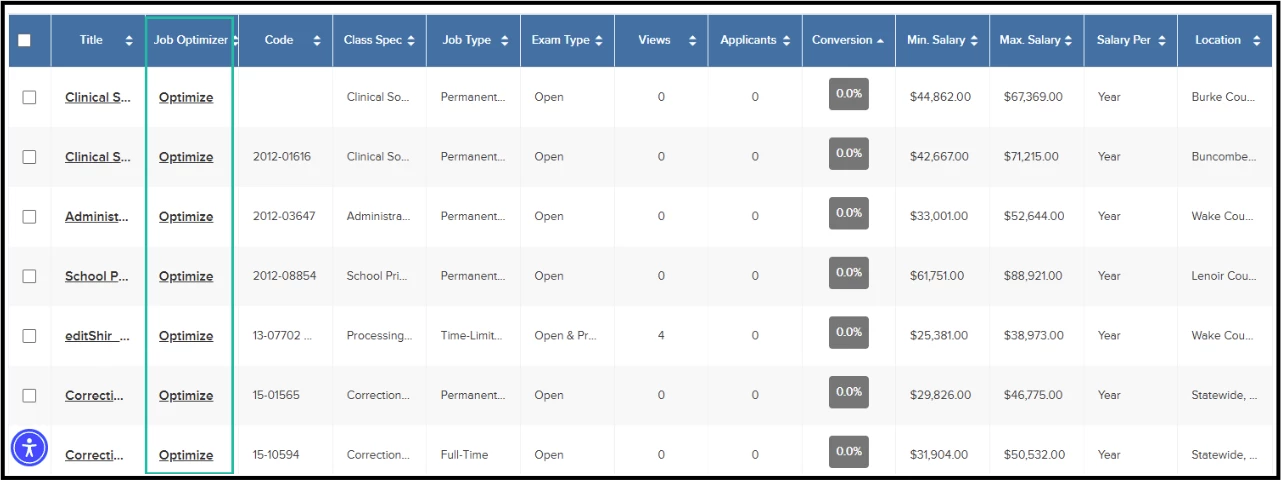
- Click an entry in the Job Optimizer column to view detailed recommendations for that job.
Key Features
Job Optimizer Column
A new Job Optimizer column has been added to the Job Postings grid on the Job Attractiveness page. This column shows at a glance whether a job has recommendations available:
- Optimize – Recommendations are available for this job.
- View – No recommendations are currently available for this job.
AI-Powered Recommendations
Job Optimizer compares your job postings with benchmark data from similar listings across peer agencies. Based on this comparison, it generates clear, actionable recommendations in two key areas:
- Salary – Compare your posted compensation against peer market listings, see recommended salary ranges, and estimate how much applicant volume could grow if you align with the benchmark.
- Education & Experience – Compare your job requirements with peer listings, review suggested adjustments, and evaluate the estimated impact on applicant volume.
Every recommendation provides supporting context, including the number of peer jobs and agencies in the comparison, helping you make informed decisions about your job postings.
Note: Job Optimizer uses AI to generate suggestions based on available data. Recommendations are intended to support - not replace - your own professional judgment when making decisions about job postings.
Placement Visualization
The Job Optimizer page now features an interactive 9-box placement chart that clearly illustrates where your job stands compared to peer listings, delivering valuable context to guide your decisions.
Performance Metrics & Trends
The Job Optimizer page highlights key performance metrics for each job—Views, Applicants, Conversion Rate, and Time to Fill. Trend indicators show how your job compares against your agency's average for the selected timeframe.
The system calculates Time to Fill based on your agency's Time to Hire settings and applies distinct trend logic for continuous and non-continuous jobs.