



Insight Summer 2025 Release Notes
Article Links
Timeline
When will this be released?
UAT Preview Window: July 1, 2025, 4 AM PDT
Production Availability: July 29, 2025, 4 AM PDT
Is there downtime for this release?
No.
Application Review Enhancements
Based on a review of the feedback for the modernized screens, NEOGOV prioritized several changes to improve the efficiency of reviewing applications and entering dispositions
New Order for Sections
Previously, the Work Experience section was displayed above the Education section. Education now displays above Work Experience.
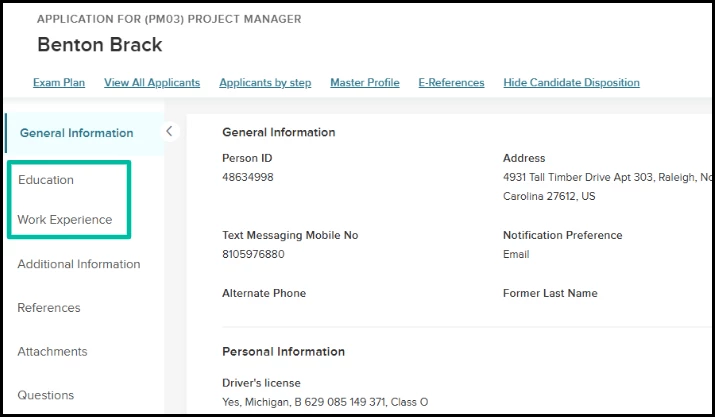
Jobs > Exam Plan > View Applicants by Step or View Applicants > Select Applicant
Value
This change reflects the most commonly requested order for reviewing application details, so it should reduce the need to scroll up and down to jump between sections
Audience
Recruiters or other Insight users who review applications.
Additional Navigation Options When Saving Changes
Previously, after entering a disposition change on an application, the Next button dynamically transformed to Save & Next, and the only way to save the change was to click that button, thus forcing the user to advance to the next application. Three save options are now available for disposition changes:
- Save & Next button - Save the change and go to the next application.
- Save & Previous button - Save the change and go to the previous application.
- Save button - Save the change and remain on the current application.
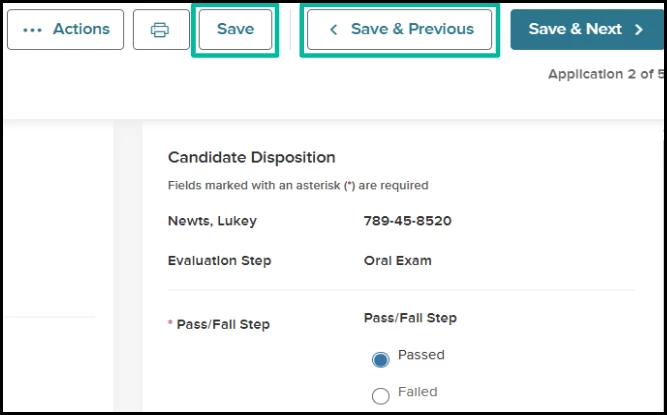
Exam Plan > View Applicants by Step or View Applicants > Select Applicant
Value
This change provides users with more flexibility to navigate between applications as they prefer.
Audience
Recruiters or other Insight users who review applications.
Printed Output in a More Compact Format
When clicking the Print button on the application detail, previously, a new browser tab opened with this view.
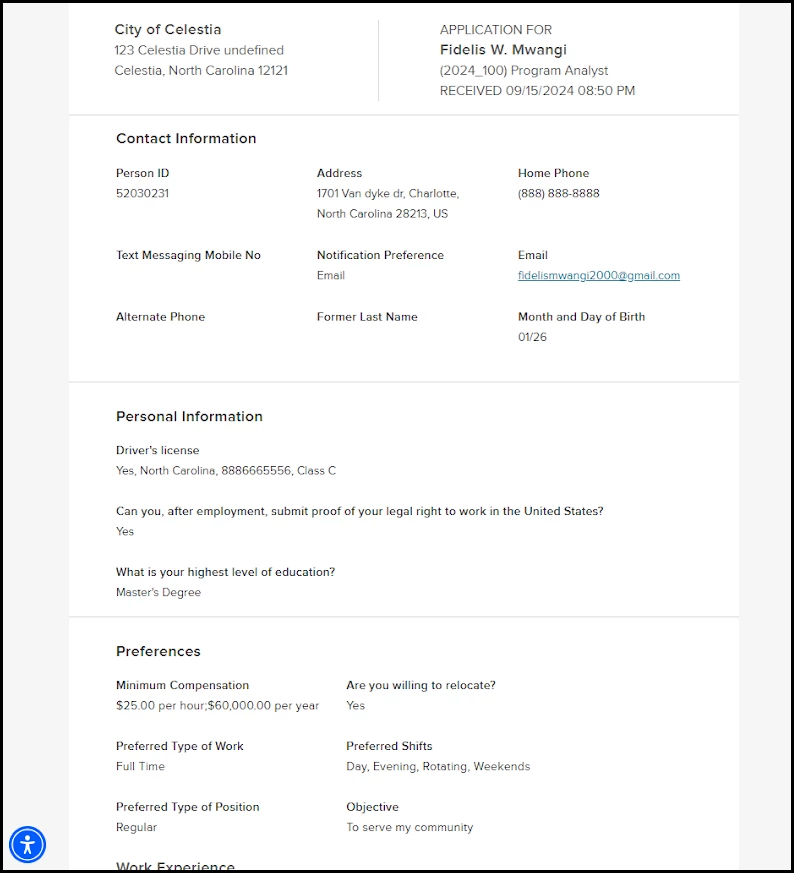
Exam Plan > View Applicants by Step or View Applicants > Select Applicant > Print
Your feedback consistently noted several concerns with this updated view:
- Due to the extensive space on both sides, scrolling and reading online was very tedious.
- When printed on paper, it required, on average, twice as many pages as the prior version.
- When printed on paper, the page breaks often hit mid-paragraph and made reading difficult.
Now, when you print from the application detail, a new browser tab opens with the application in this format:
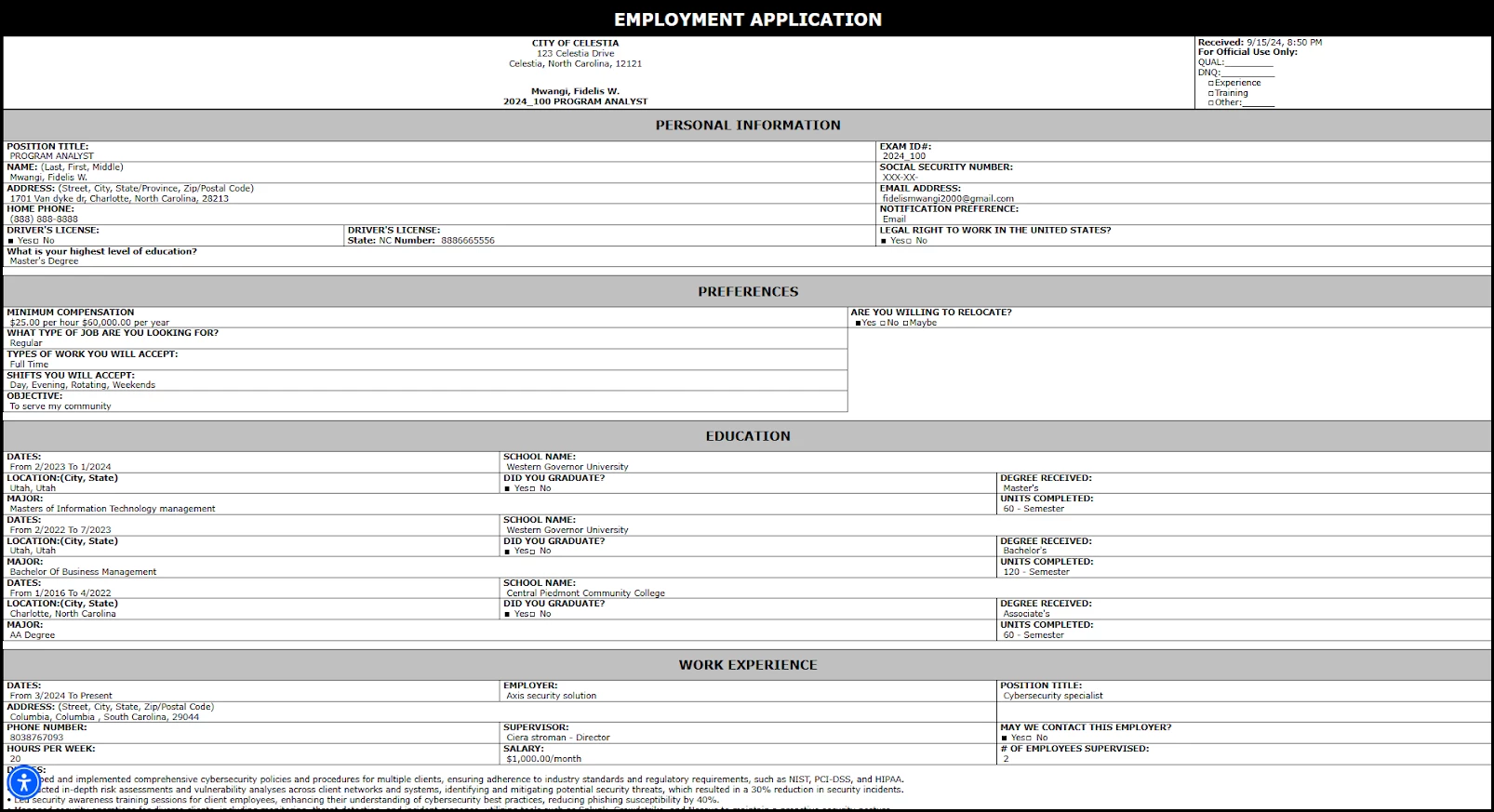
Exam Plan > View Applicants by Step or View Applicants > Select Applicant > Print
Value
This change generates a format that requires much less scrolling online and paper when printing. Additionally, it is consistent with the format used for downloading applications with the Print Apps feature.
Audience
Recruiters or other Insight users who review applications.
Job Posting Enhancements
The Job Details page has a couple of changes in this release.
Advertise Link Added
If a job posting is active and the user has job advertisement permission, an Advertise link now displays on the Job Details page in view mode (such as not in add/edit mode). Clicking the Advertise link opens a flyout with the JobTarget Marketplace, where you can explore and purchase ads for the job on external boards
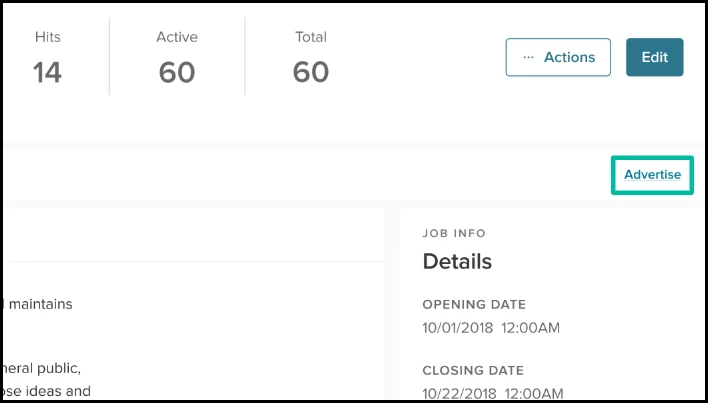
Insight Dashboard or Jobs Menu > Job Postings > Select Posting
Value
Both of the previous options to advertise jobs had limitations:
- From the Insight Dashboard - Because jobs only appear on the dashboard to the assigned analyst, only that user can view the Advertise link. Still, others may be responsible for advertising jobs in addition to the assigned person.
- From the Job Health page - Because job health takes a minimum of 3 days to calculate, a job cannot be advertised for at least 3 days from this page. However, in some cases, a user may want to advertise the job immediately and not wait to consider the job health.
This change provides flexibility around those constraints.
Audience
Recruiters or other Insight users who advertise jobs.
Minimum Qualifications Section Removed
Earlier this year, this section with the Education Level and Experience Level fields was introduced. Now, it has been removed and will no longer display.
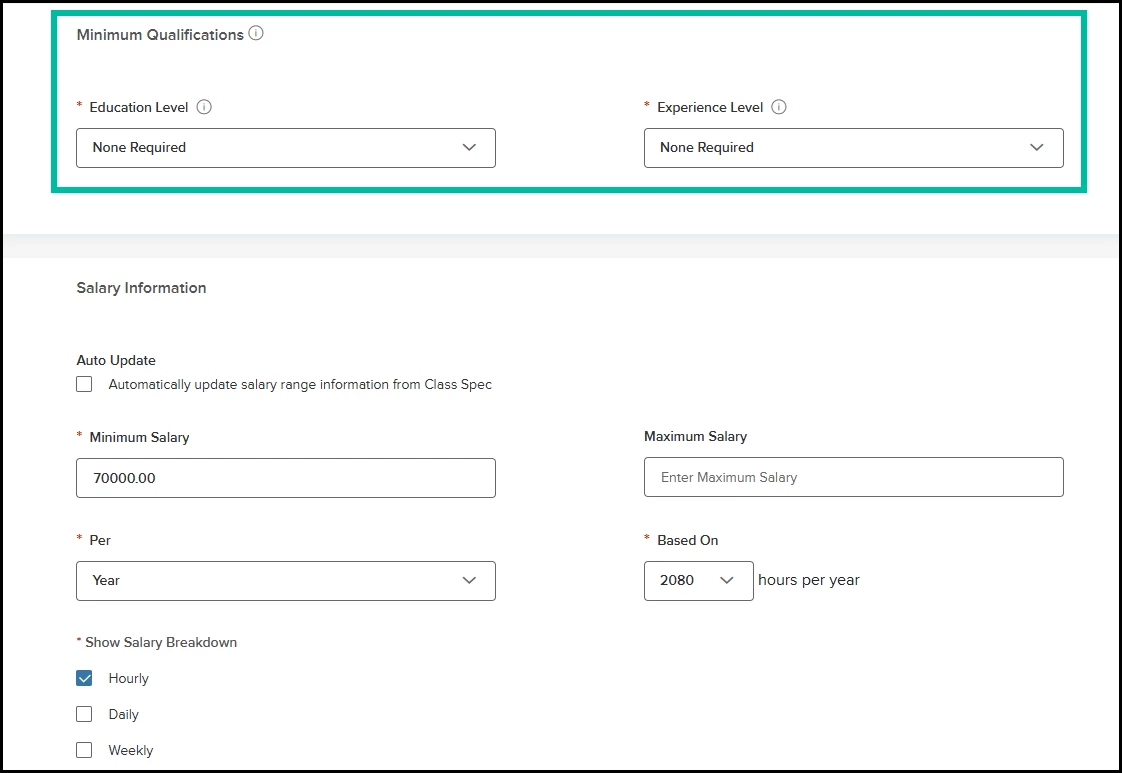
Value
The goal of the fields was to support data modeling for upcoming features to provide benchmarking and recommendations for job posting changes to increase applicant traffic. That is still relevant, but NEOGOV has identified other ways to capture that data and can relieve this extra manual entry when creating or editing postings.
Audience
Recruiters or other Insight users who add or edit jobs.
Legal Holds for Applicants
When editing an applicant’s master profile, a new setting appears in the Applied For section to retain applications permanently. It is Off by default. If changed to On, then any associated exam plans or requisitions will be automatically set to retain permanently too, and thus excluded from the next scheduled data purge process.

Applicants > Applicant Search > Select Applicant
Value
Previously, if a particular applicant had legal risk concerns such that an agency wanted to retain all recruitment information, it required manual effort to find every exam plan and requisition associated with the applicant’s applications and set each to retain permanently one at a time. This change provides efficiency because this setting can be entered at the applicant level, and it will then automatically cascade to those related exam plans and requisitions.
Audience
Administrators at agencies using data retention controls in Insight.
GovernmentJobs Search Engine Optimization
We have launched an ongoing initiative to improve SEO (Search Engine Optimization) for GovernmentJobs. This includes various backend changes designed to enhance the website's visibility in search engine results. Additionally, the user interface for job detail pages has been updated to be more SEO-friendly, while retaining the same data and information.
Value
These enhancements will help GovernmentJobs appear higher in search engine results, such as on Google. This leads to increased visibility and potentially attracts more visitors, which can result in a higher number of job applications for employers posting job advertisements.
Audience
-
Job Seekers: By enhancing discoverability, job seekers can more easily find job opportunities on GovernmentJobs.
-
HR Recruiters: Organizations using GovernmentJobs to post job openings may receive more applications due to increased visibility.
Update RSS Feed URL - Final Reminder
Here is an important reminder for the customers who use RSS job feeds to pull real-time job posting updates from Insight and feed them to external sites. As previously communicated, updated RSS job feed URLs were introduced in December 2024. This communication serves as your final notice before the old feed URLs are sunsetted by the end of July 2025.
To ensure uninterrupted service and continue receiving job feed data, please update your systems with the new URLs provided below.
Identify your agency type (NEOED or NEOGOV) and use the corresponding new RSS feed URL format. After updating the URL, please check that your new RSS feed is working correctly and receiving job data as expected.
- New RSS Job Feed URL for NEOED/Schooljobs customers: https://www.schooljobs.com/SearchEngine/JobsFeed?agency=<agency_name_here>
- New RSS Job Feed URL for NEOGOV/Governmentjobs customers: https://www.governmentjobs.com/SearchEngine/JobsFeed?agency=<agency_name_here>
How to identify your agency name?
If your agency’s career page URL is https://www.governmentjobs.com/careers/clineville, then your agency name to add to the RSS feed would be ‘clineville’
Example: https://www.governmentjobs.com/SearchEngine/JobsFeed?agency=clineville
Value
Updating your RSS job feed URLs ensures uninterrupted access to up-to-date job data. Transitioning to the new URL format is part of our commitment to modernizing systems and enhancing service reliability and performance.
Audience
This communication is intended for all Insight customers using the RSS job feed service, including those integrating with third-party applications, websites, or automated solutions. It is crucial for administrators, IT personnel, and system integrators responsible for maintaining RSS feed functionalities.
Related Resources
- Article: April 2025 Insight Release Notes
- Article: May 2025 Insight Release Notes
- Article: June 2025 Insight Release Notes
- Article: Insight: RSS Feed Setup
- Article: Insight: Navigating Applicants and Applications
- Article: Insight: Advertising with JobTarget