



Time & Attendance: Fall 2026 Release Notes
Article Links
Timeline
When will this be released?
UAT Preview Window: October 1, 2026 at 5 AM PST to October 29, 2026.
Production Availability: October 29, 2026 at 5 AM PST.
Is there downtime for this release?
No.
Policy Maximum Limits - Compensatory Time
This enhancement prevents employees from exceeding policy entitlement or rolling caps during Overtime-to-Comp Time conversion. The enhancement shows and restricts the maximum allowable conversion limits.
Value
Prevents loss by accidentally over contributing, which will not be accounted for during payroll.
Audience
Employees and Plan Administrators.
Overtime Conversion - Policy Choice
This enhancement enables employers to define multiple attendance policies to be considered, allowing employees to choose which policy to convert into overtime.
Value
This gives agencies flexibility to control rates, payout, caps, eligibility and give employees personal choice on how they want to handle overtime conversions.
Audience
Employees, and Plan Administrators.
Prerequisite Setup
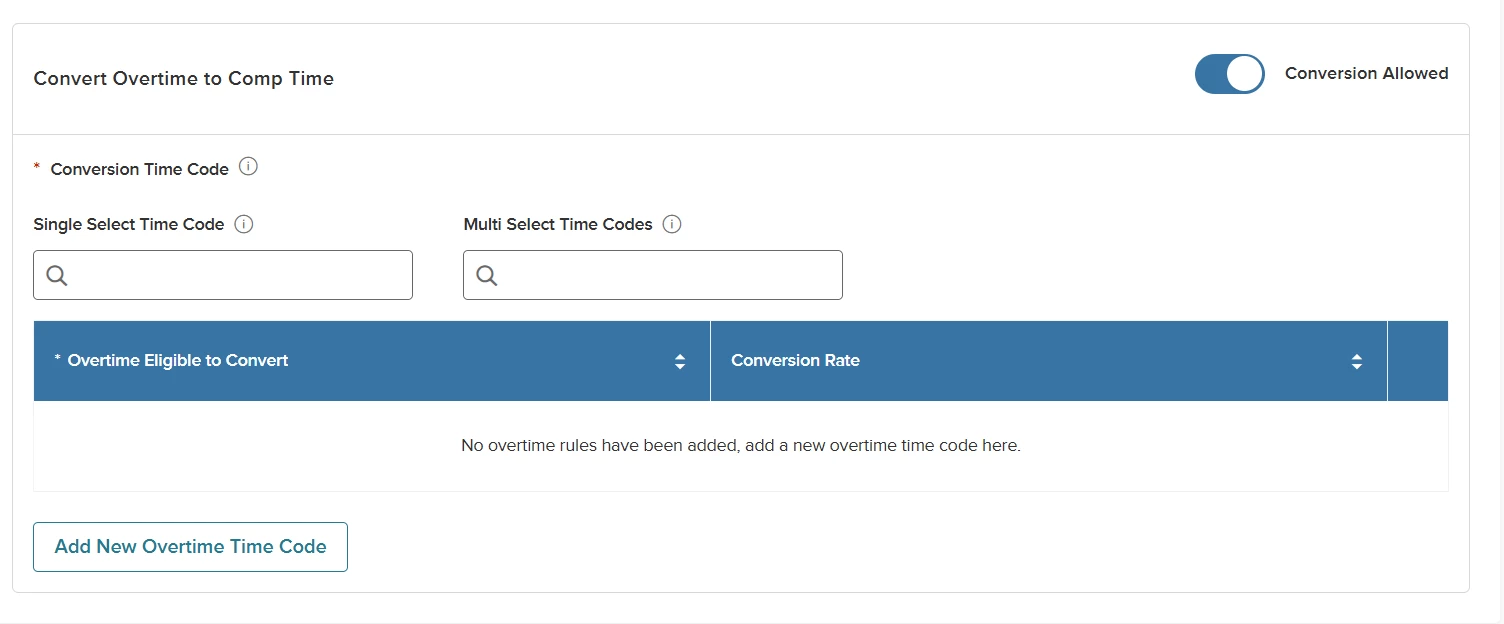
For Admins, turn on the Conversion Allowed toggle from the Timesheet tab of the Work Rule. Once enabled, the section to define conversion will be shown.

The section has a new field to select a time code set. This new optional field is available when the single time code set has not been selected. You must make a selection in the Single Select Time Code or Multi Select Time Codes field to use the enhancement.
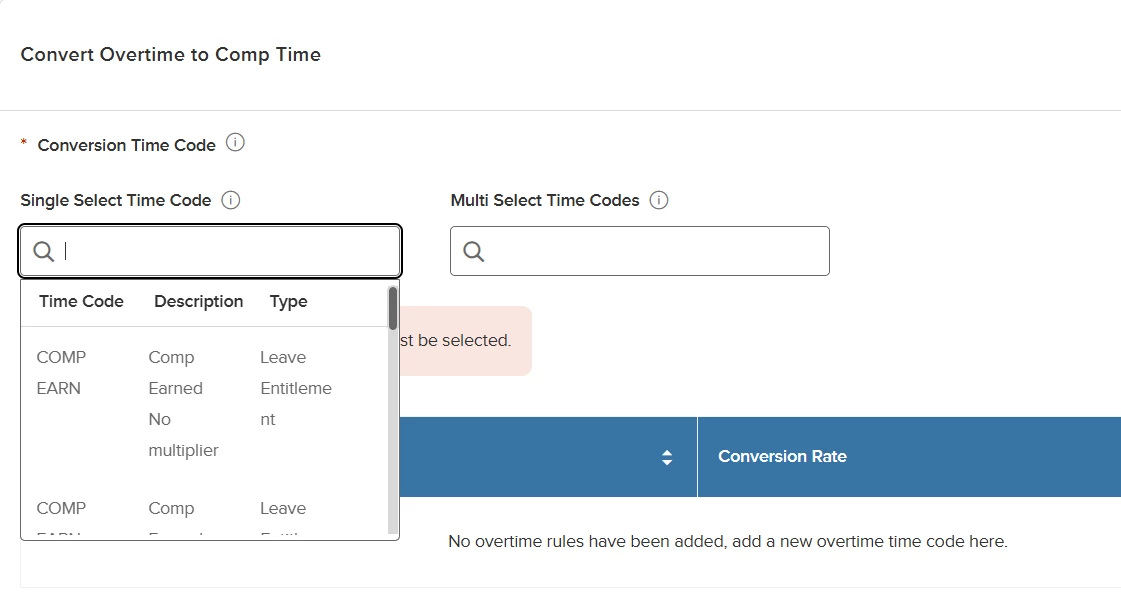
Using the Single Select Time Code dropdown shows a list of time codes to choose from. This dropdown uses the time codes defined on the Comp policy.
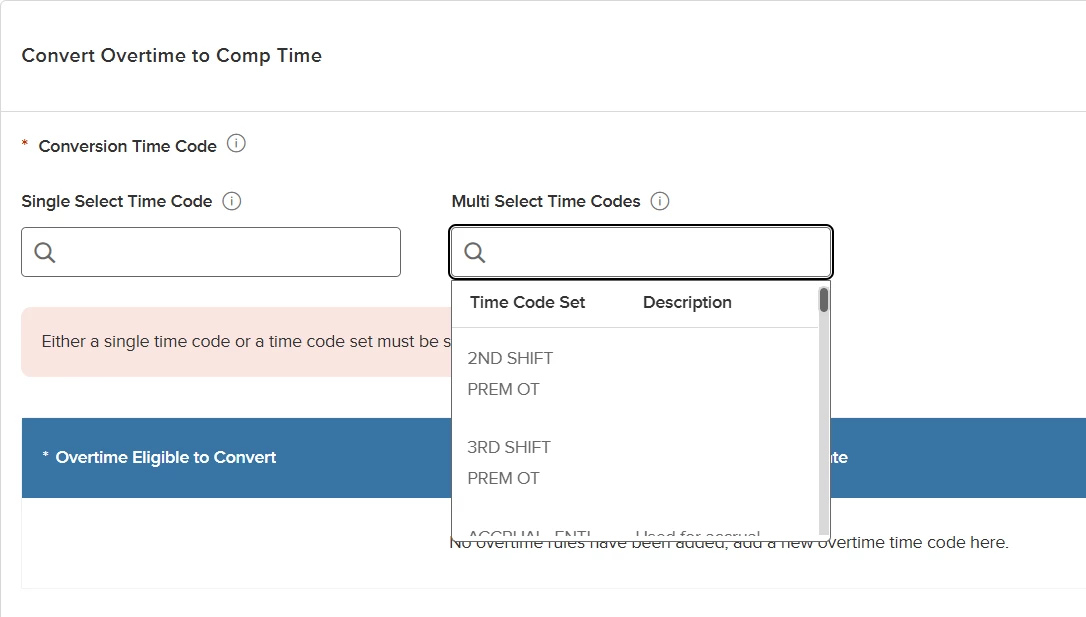
Using the Multi Select Time Codes dropdown shows a list of time code sets to choose from.
Once you make a selection in either dropdown, the time codes that are eligible for conversion are added.
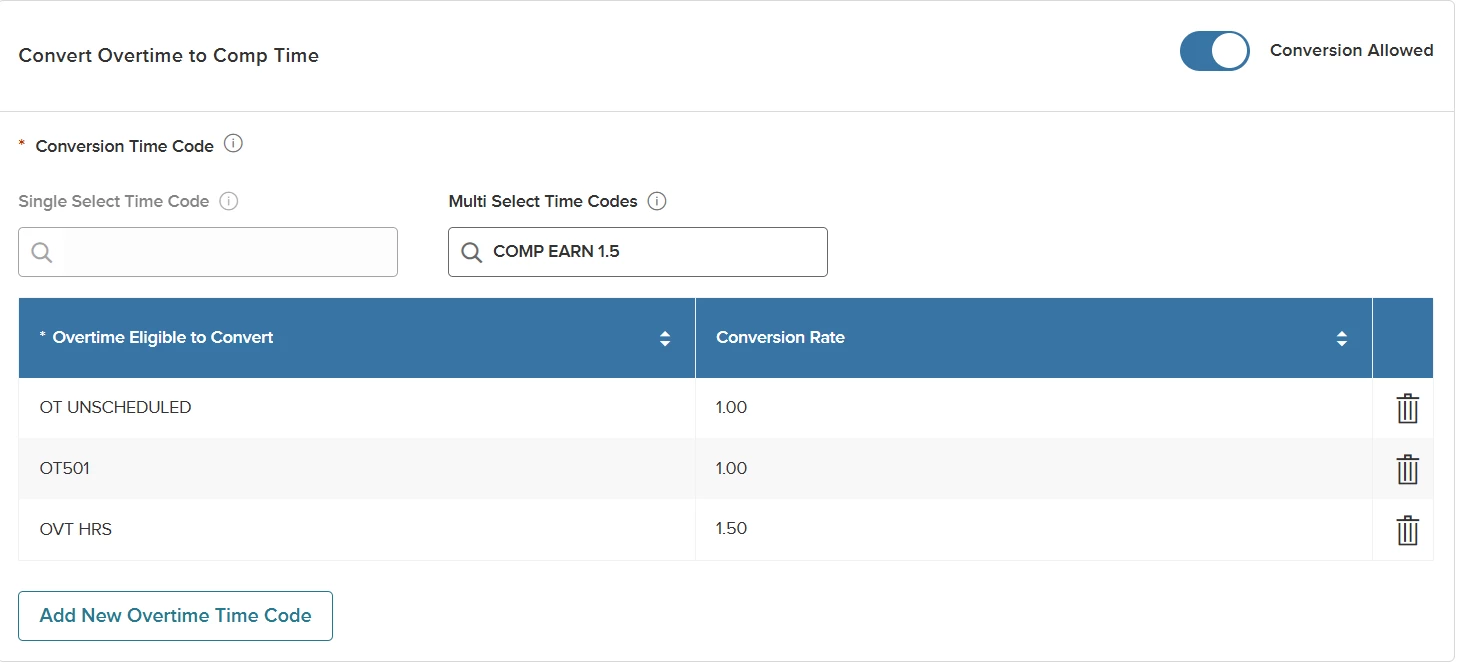
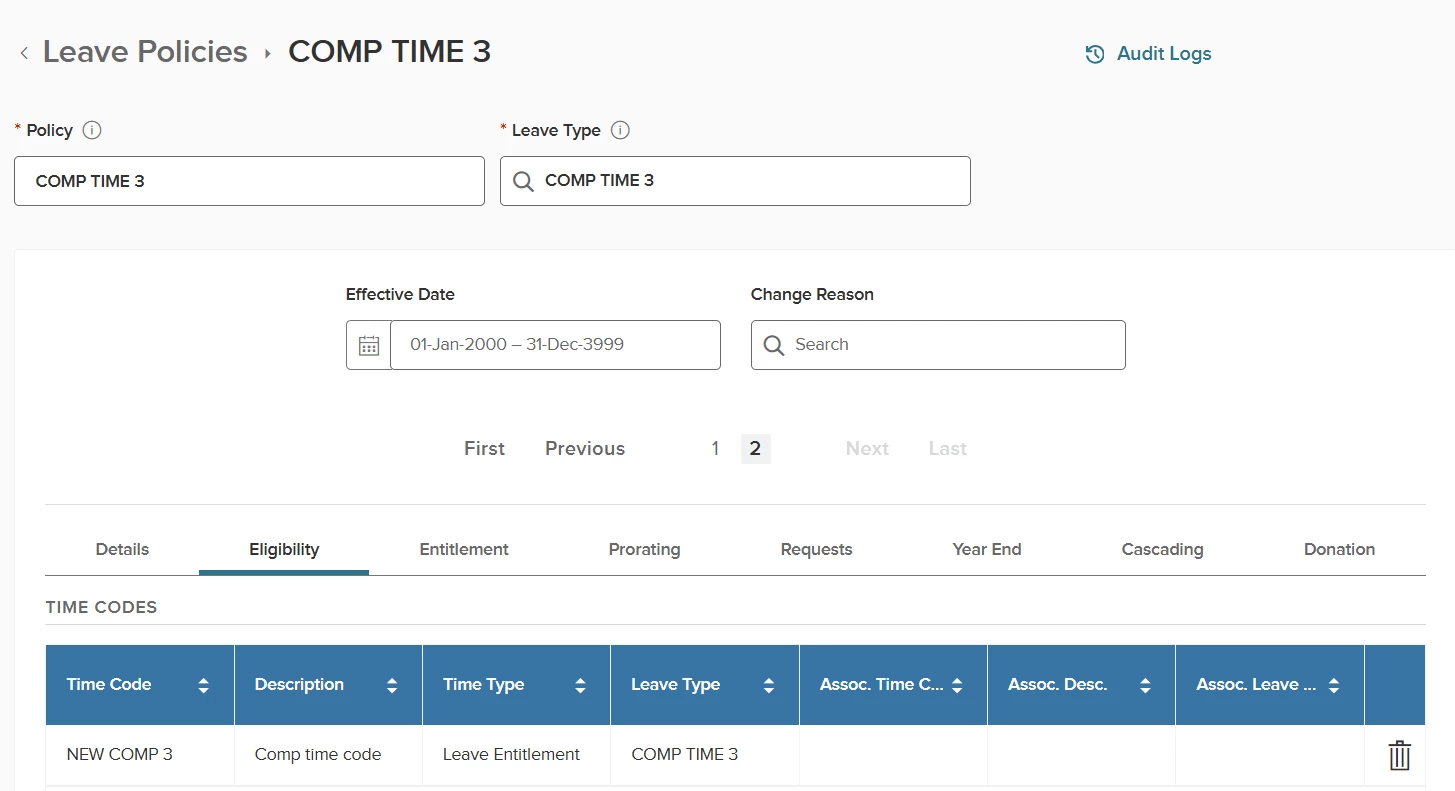
The time code set must contain unique time codes for each policy, based on the leave type.
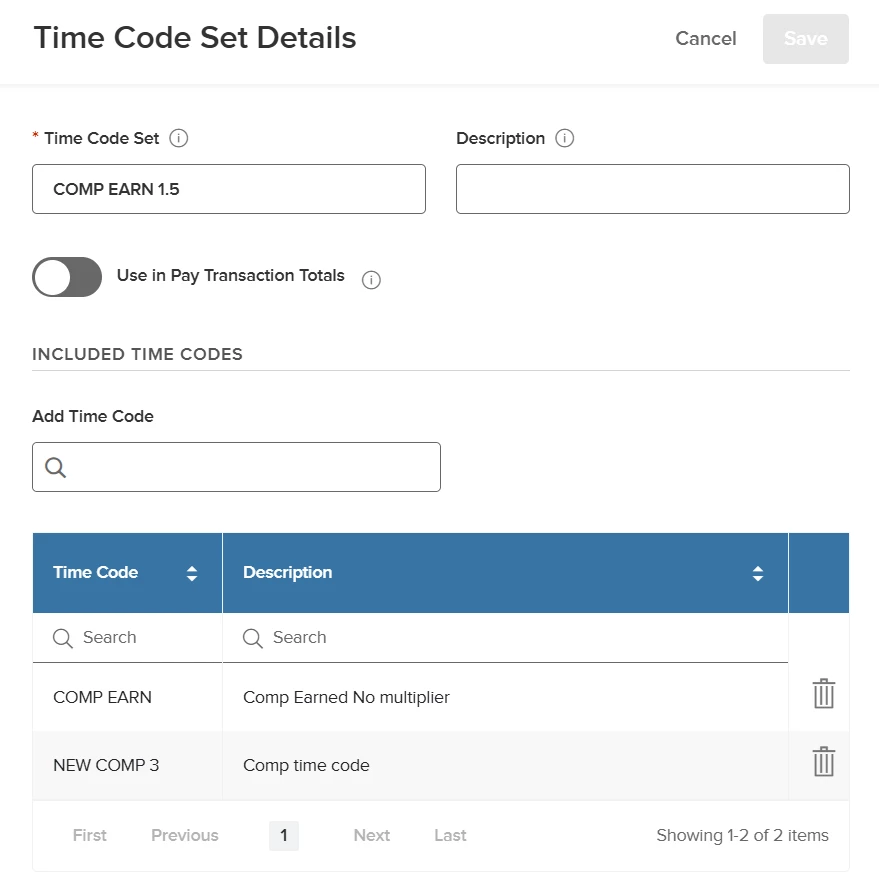
Time codes are defined on the Eligibility tab of each leave policy.
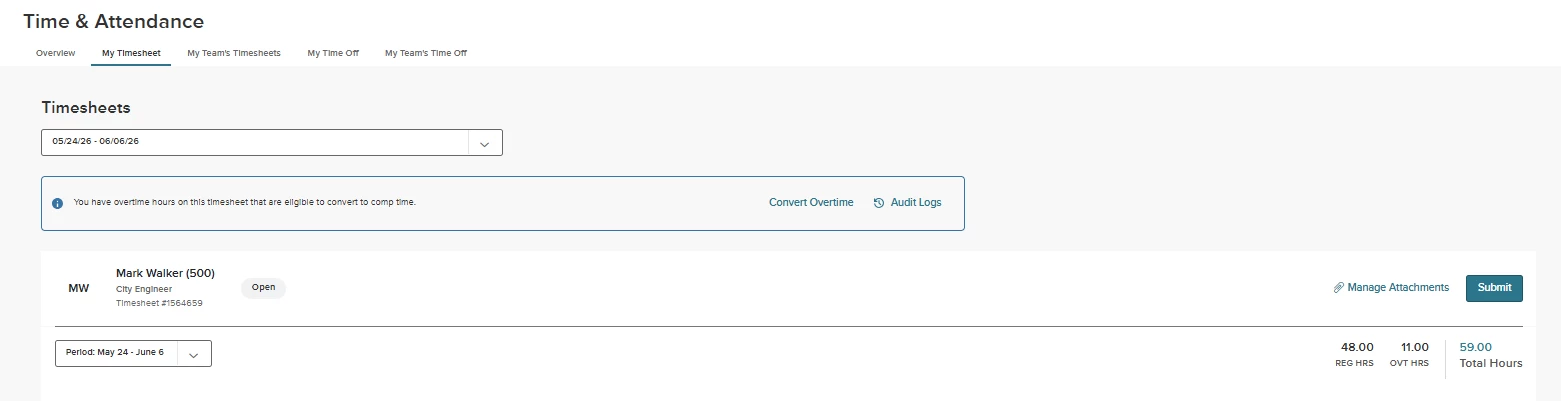
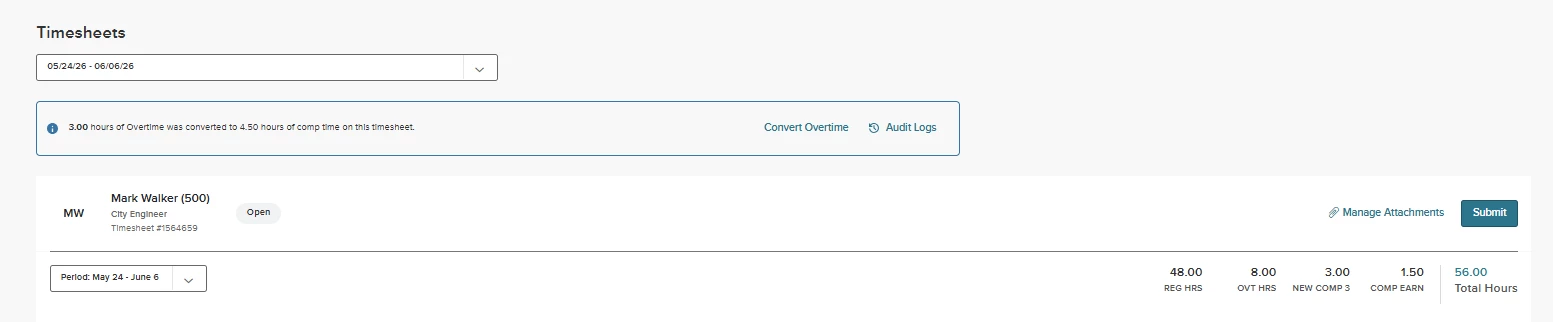
Once the timesheet has time that can convert, you will see a banner on the timesheet.
How it Works
A new column is made available to select the specific time code from within the set.
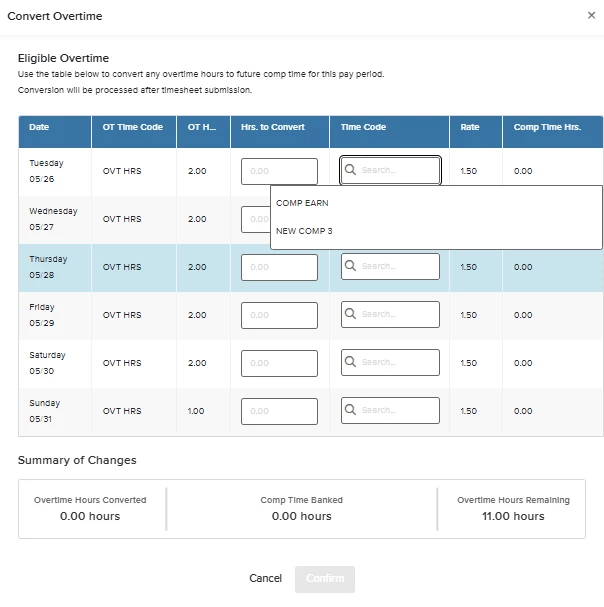
Employees may choose the total hours per day to be converted and to which plan.
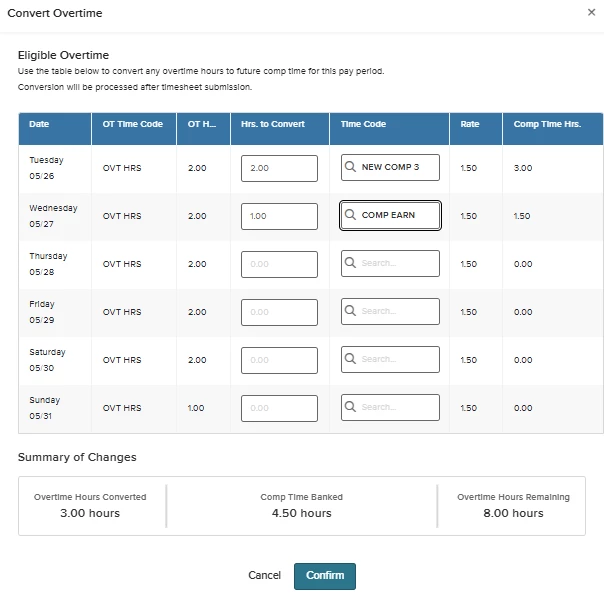
Once converted, you will see a message that summarizes the totals of overtime and final conversion amounts.
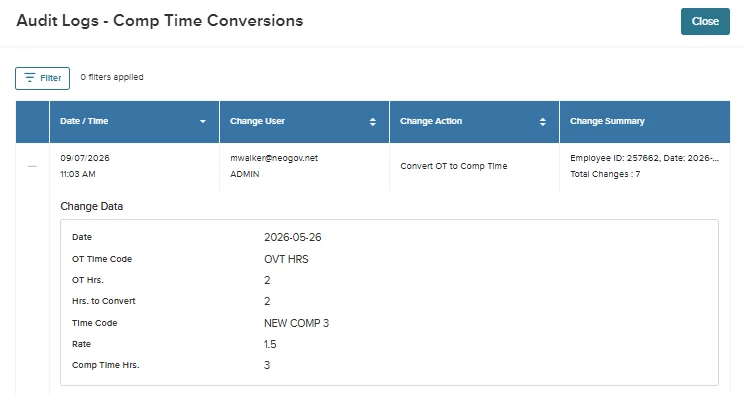
Audit Logs of the conversion action are also available for review.
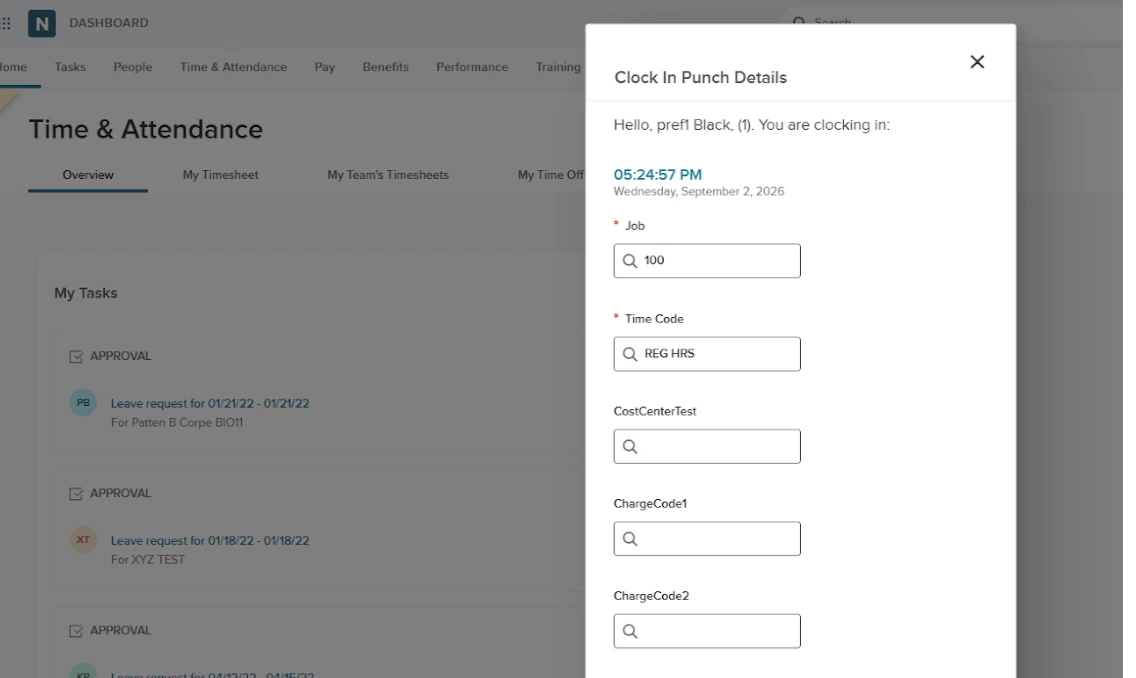
Point of Entry Charge Codes
When clocking in, employees can now select up to three cost centers for work they are about to perform.
Value
Cost Center selection provides real-time accuracy, better budget control and stronger compliance with audit trails from clock punches via timesheets and into payroll.
Audience
Employees, Managers, and Administrators.
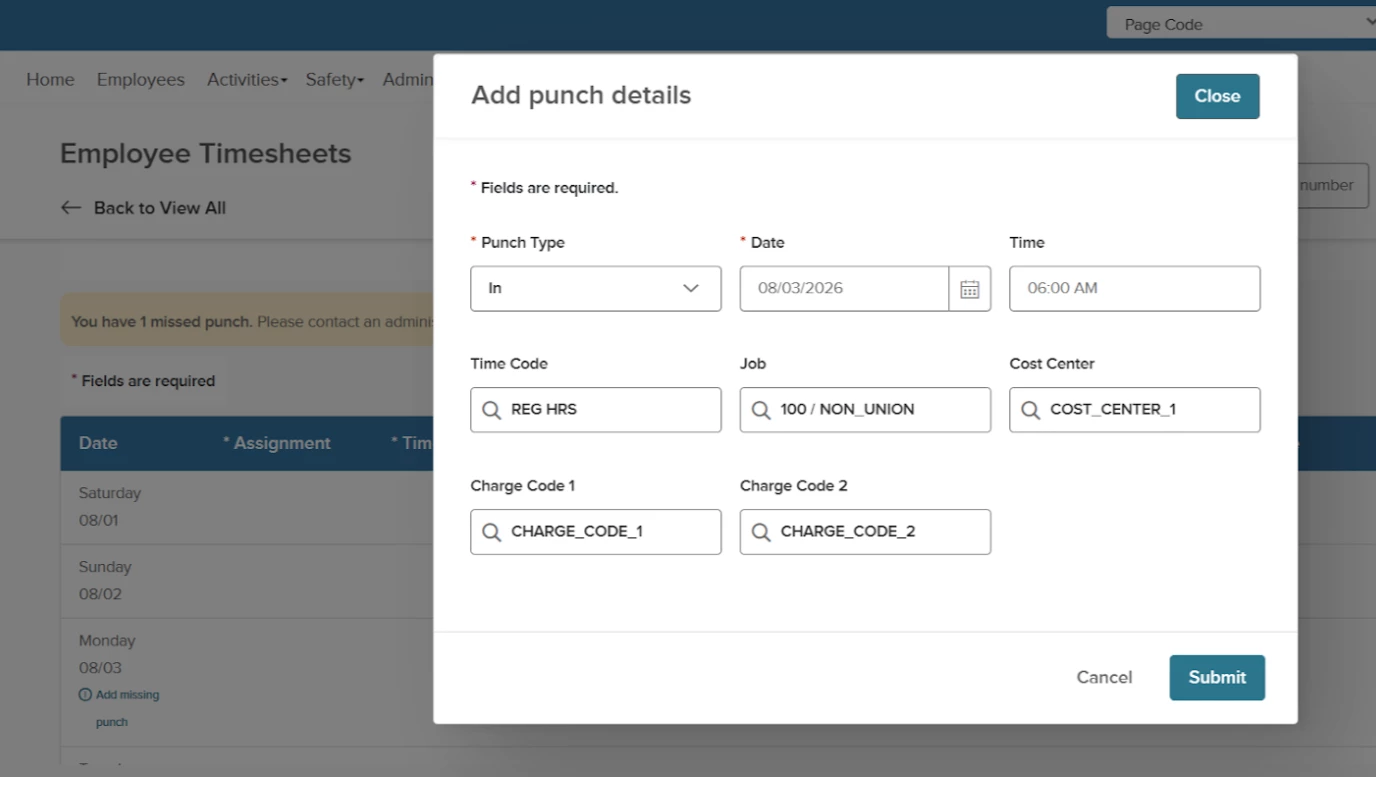
Timesheets - Missed Punch Addition
Employees, Managers, and Administrators can now fix missing clock-ins or clock-outs directly on any timesheet day with a missed punch.
Value
This provides an easy way for employees to ensure all time is recorded on a timesheet for accurate and complete time into payroll.
Audience
Employees, Managers, and Administrators.
Audit Logs
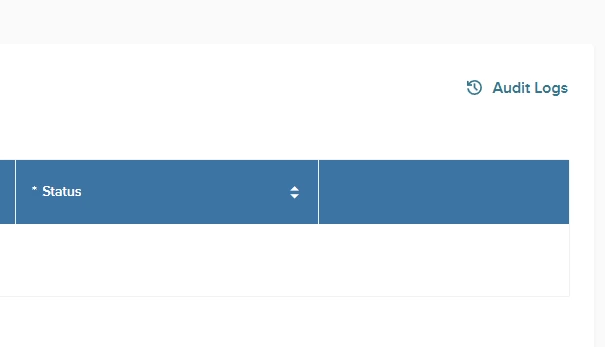
Detailed audit logs track user interactions across timesheet periods, work rules, clock entries and shifts. The log clearly shows who made changes, when the changes occurred, and what was added, modified, or deleted.
The Audit Logs are located on the Timesheet Periods, Work Rules, Clock Entries, and Shifts pages.
Value
Easily trace historical data changes.
Audience
All users.
Leave Balances
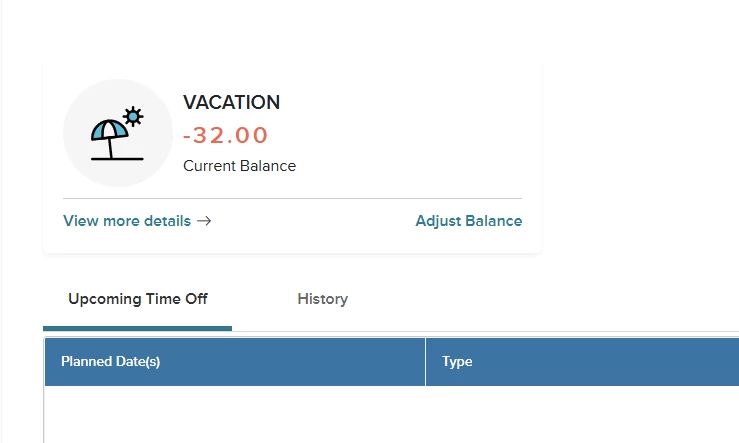
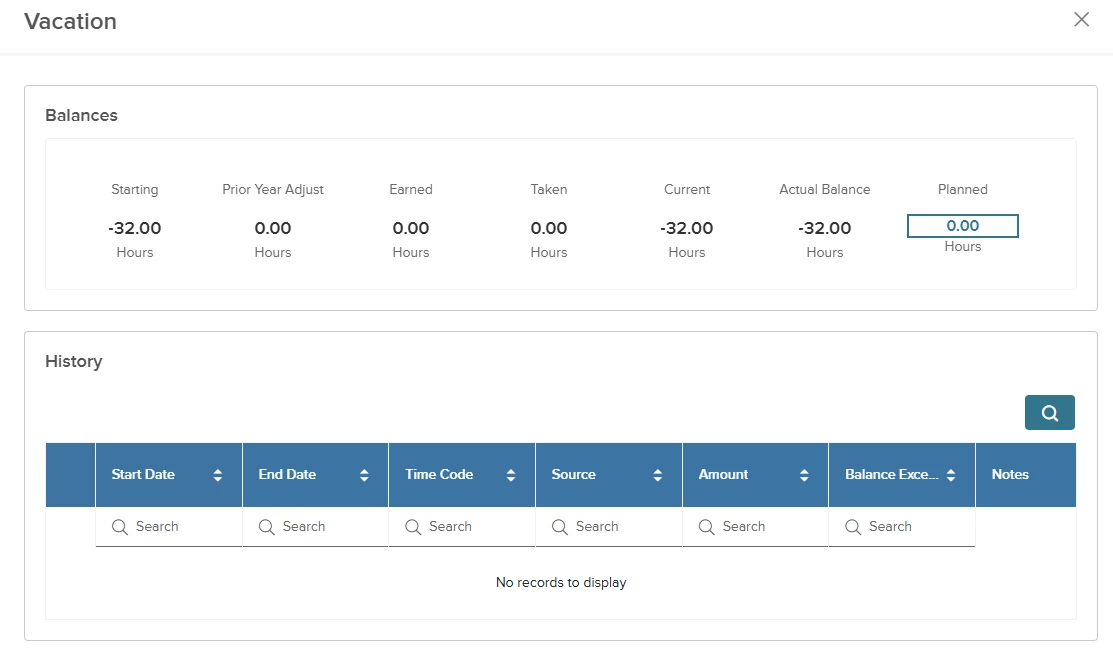
As an Admin, you now have a new link to access the adjust balance popup. The link is available directly on each employee's balance and history page. If you need to see more detail about the leave, click the View more details link.
Value
Provides direct access to adjust employee balances.
Audience
Administrators.
Leave and Timesheet Grids
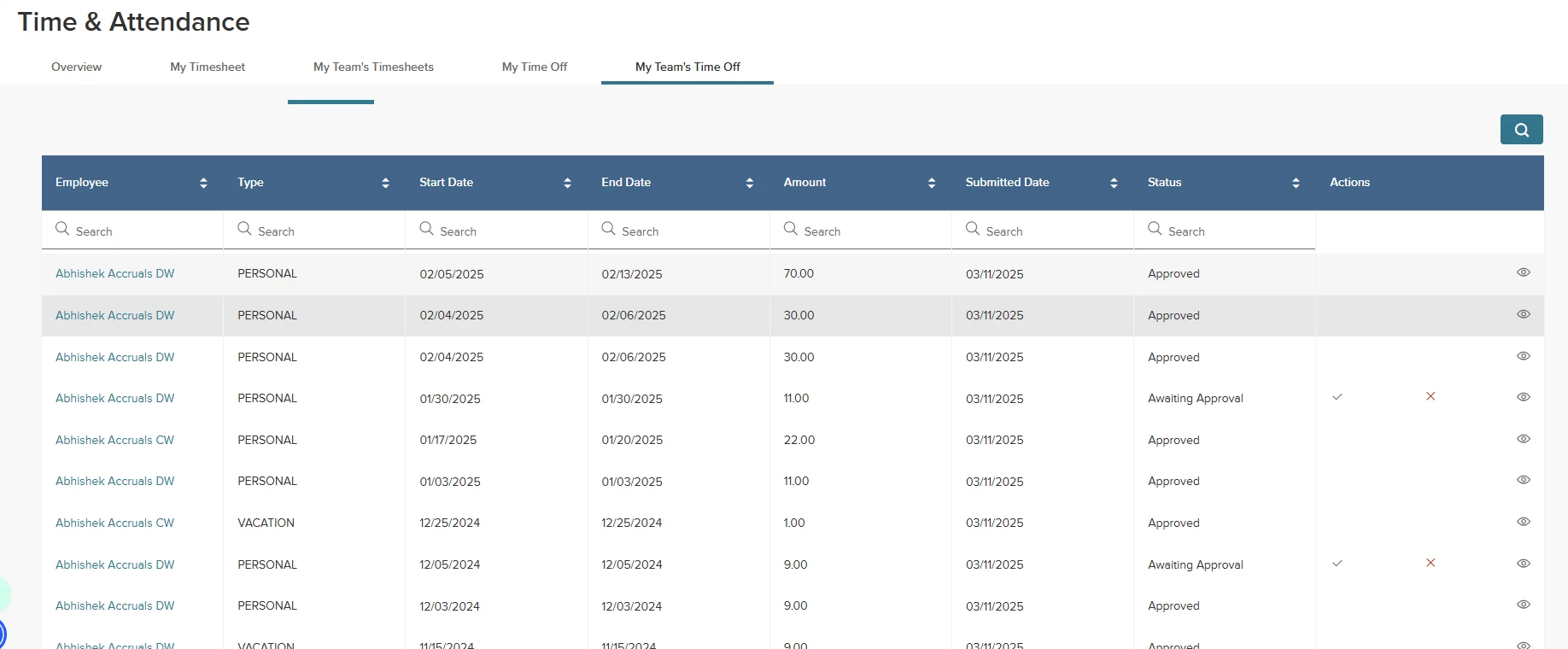
We’ve improved the My Time Off, My Team's Time Off, and Admin timesheet grids. The new layout includes column search and sort. This makes the areas easier to read, more informative, and provides visual consistency with the Time Off Information page.
Value
Enhances readability and speeds up data retrieval. Provides a seamless experience across Time & Attendance areas.
Audience
Employees and Managers.
Timesheet Attachments
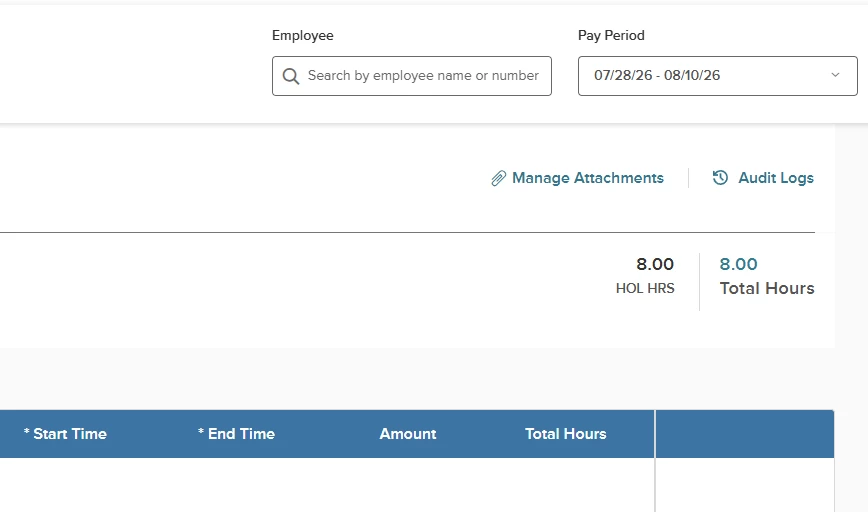
We’ve added a new link that allows you to add attachments to timesheet headers.
Value
Admins and Employees can now add supporting documentation, such as a doctor’s note, for a leave.
Audience
Employees and Administrators.
Add Leave Transactions
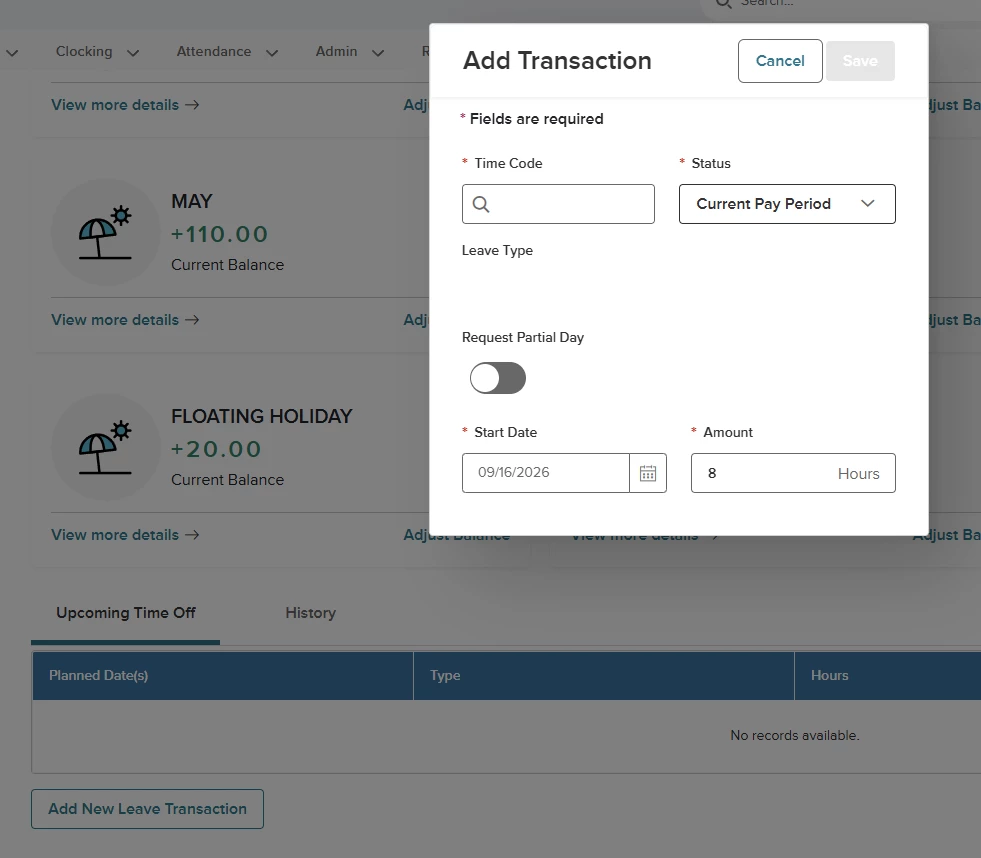
We’ve added a new button/link to the employee balances and history form.
Value
Leaves can now be added directly on the Upcoming Time Off tab.
Audience
Employees and Administrators.
Appendix: Bugs Resolved
No additional bug fixes outside of the maintenance releases. Refer to the maintenance release notes for more details.
Related Resources