



November 19, 2025 Onboard Release Notes
Timeline
When will this be released?
December 15, 2025.
Is there downtime for this release?
No.
Related Release Note Links
Onboard Analytics Dashboards
We’re excited to announce that new Analytics Dashboards will be rolled out across all NEOGOV products in Q1 of 2026. These dashboards are designed to give agencies powerful visibility into their data, helping them make faster, more informed decisions across Human Capital Management (HCM), Workforce Management (WFM), and Talent modules.
One of these new dashboards is the Onboard Analytics Dashboard, which itself is made of the New Hires and Tasks Dashboards.
These dashboards will have an early access period followed by a phased release to all customers towards the end of Q1 2026.
How it works
- Log into Onboard as an HR Admin or HR User and then select the product switcher in the top navigation. Select Analytics & Reporting.
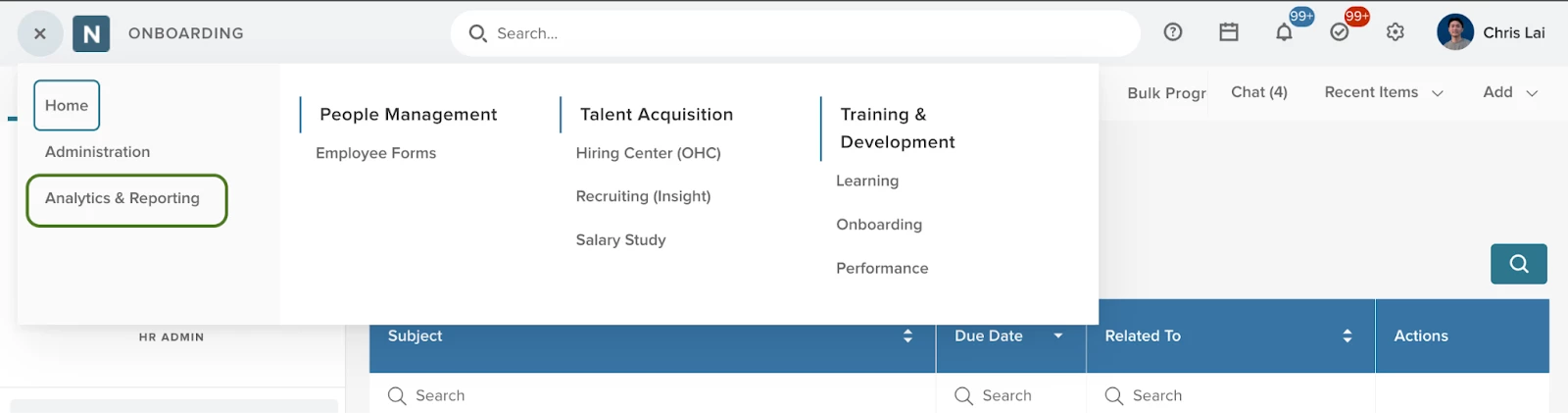
- The new dashboards will be accessible on the left.
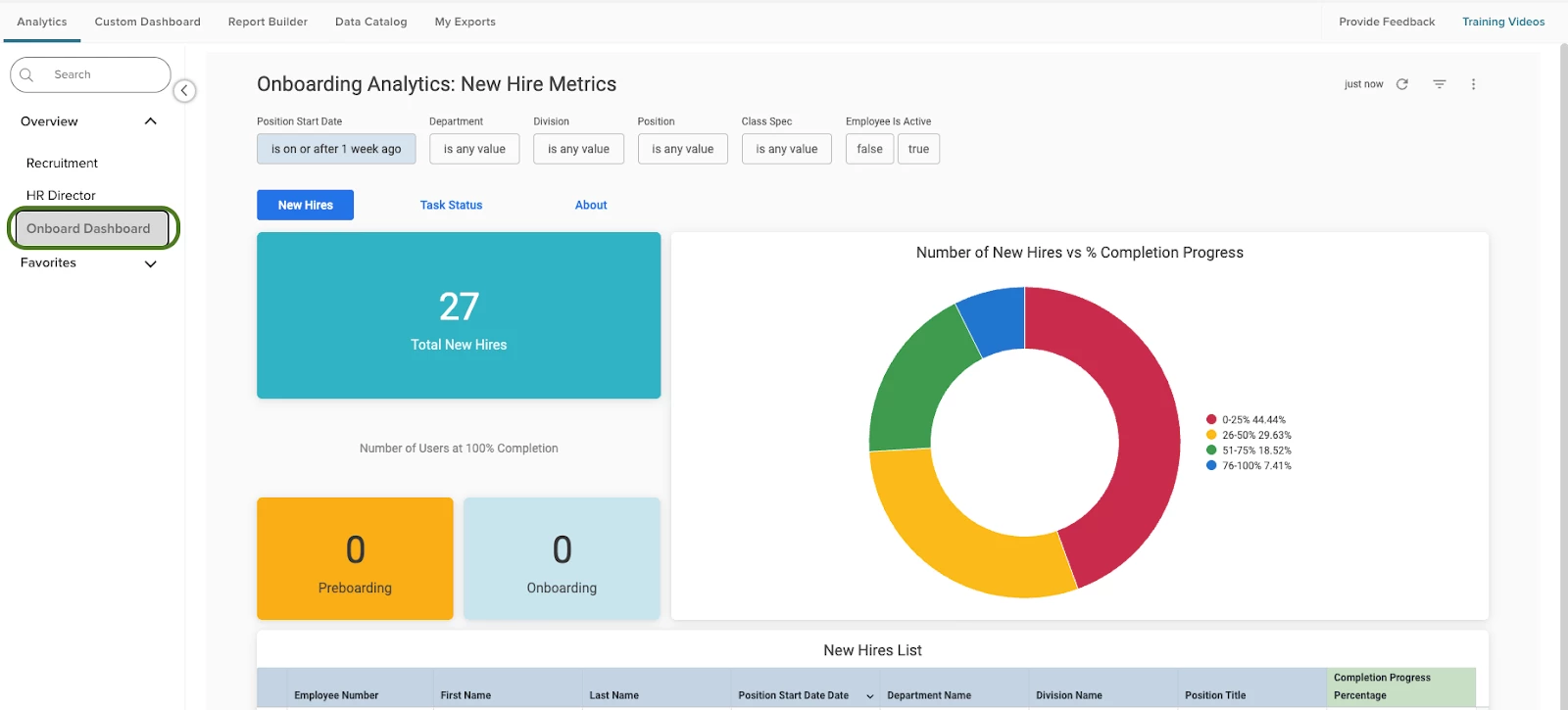
- The Onboard New Hires dashboard buckets new hires by completion progress. That way, HR can easily identify stragglers. It also gives a count of new hires within a specific time period and how many of those new hires are 100% complete with their preboarding and onboarding.
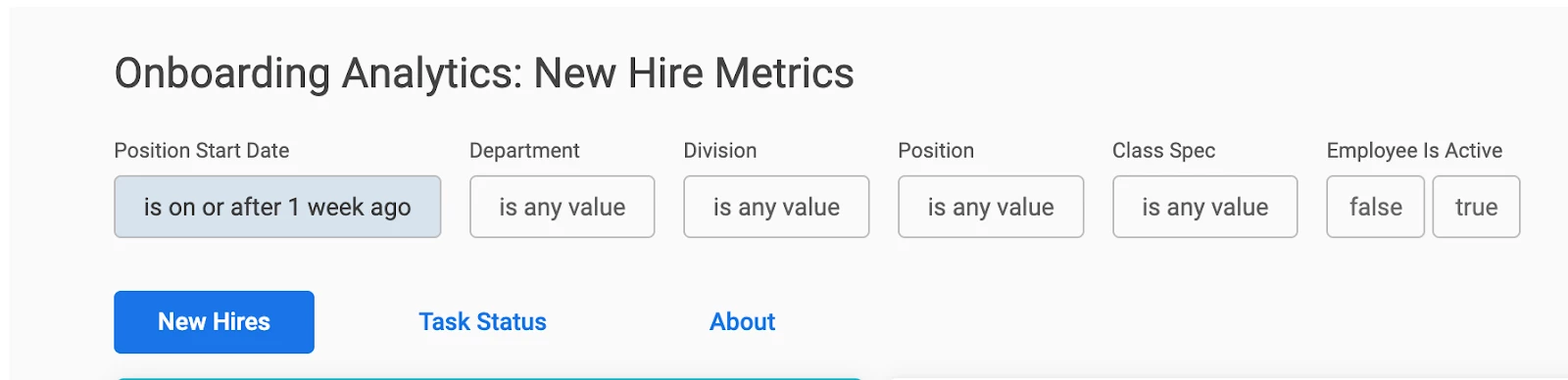
- Filter your data utilizing the filters available at the top of the dashboard. This is also where you can navigate between your Onboard dashboards.
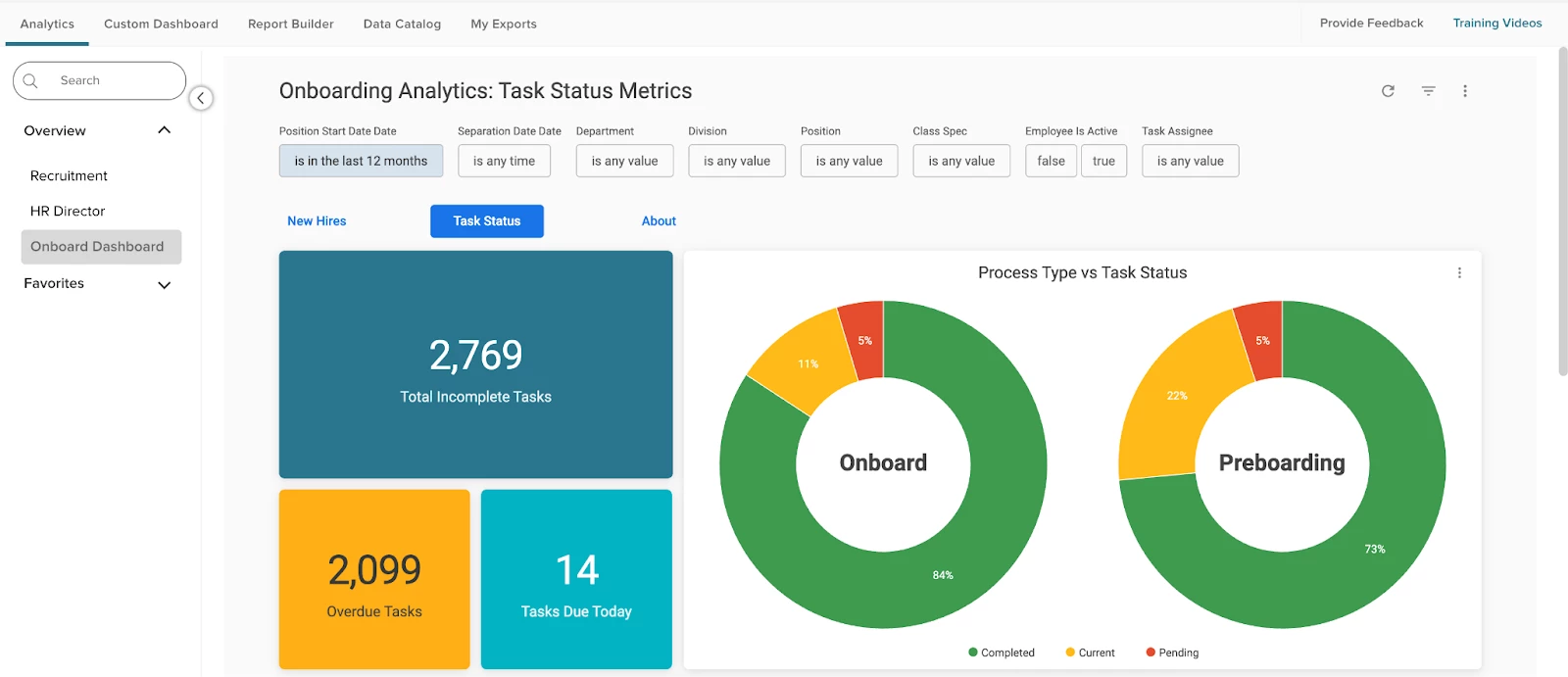
- The Onboard Tasks Dashboard helps you understand how many items need your attention at a glance, with visualizations that break down tasks by process type (e.g. Onboarding vs Offboarding) and status.
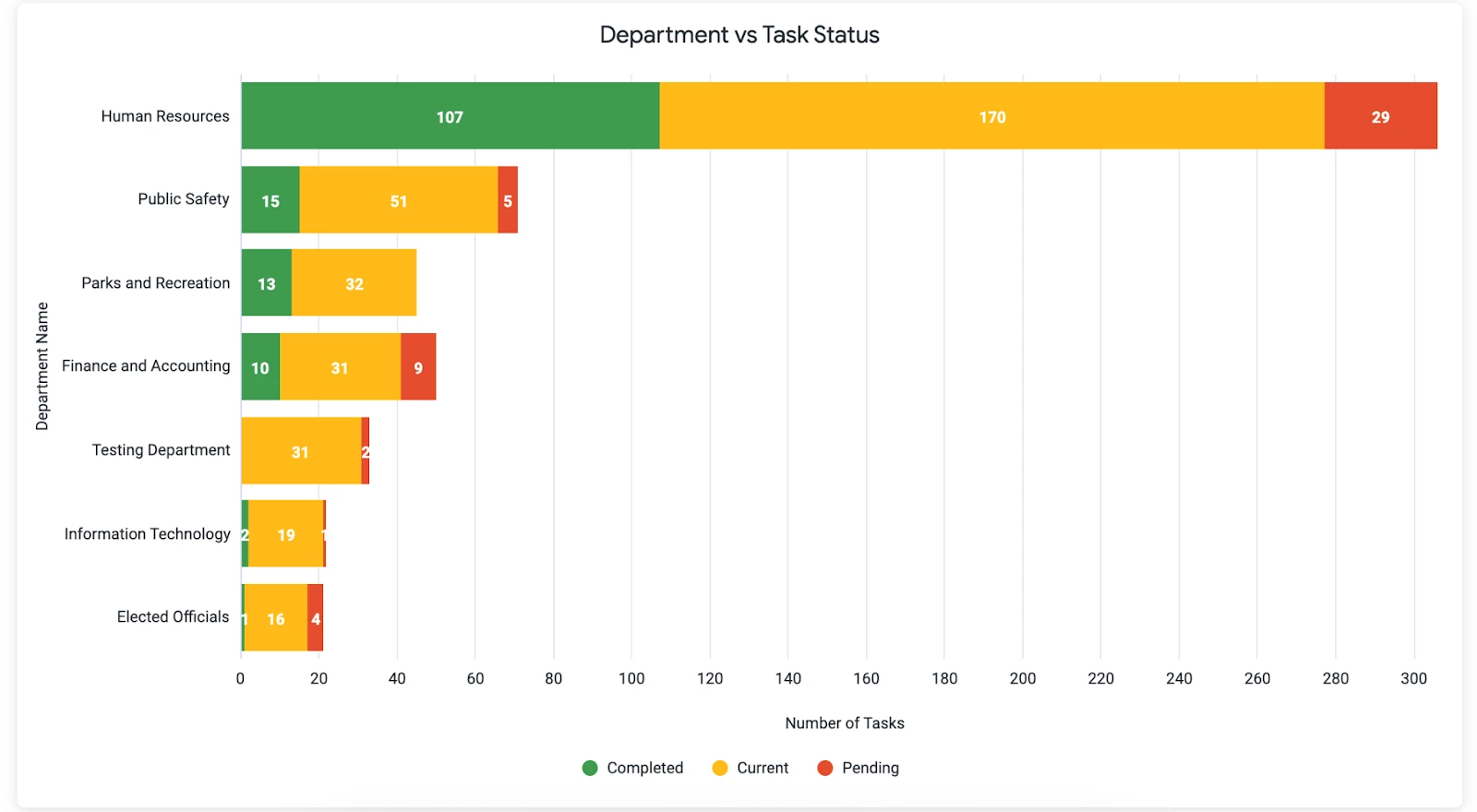
- Furthermore, you can see task status breakdown by department. This empowers you to deliver targeted support, saving time and improving results.
Value
Being able to see key insights like total new hires, the number of users that completed Onboarding, and breakdown of active tasks by task status makes it easy to understand workforce activity and monitor your agency’s onboarding process.
Audience
HR staff with access to Analytics and Reporting
Appendix: Bugs Resolved
Functional
| Scenario When Issue Encountered | Issue Resolved |
| Download E-Verify Case Details | Dates were off by one day on the case details PDF due differences in timezones between the database and how we displayed time for customers. We resolved the issue so that dates are always displayed in your agency’s timezone. |
| Adding filters to the Task Status Report, leaving, and coming back to the page | After applying filter changes, if user navigates away from report and returns, then the default view was not restored automatically |
| Exporting records from the Task Status Report | No matter how many records are selected, only a max of 10 line items would be exported using the bulk export functionality. |
| Employee pictures not showing up consistently | We resolved an issue where the employee profile picture would display on some pages but not all pages in Onboard. |
| Unified Suite Tasks List | It was found that tasks were not updated or removed from the US Task List. We performed a datafix to fix these task lists. |
| Setting an extremely large number of characters for max input length on the Multiline Text field. | Browser crashes when trying to edit the "Max Input Length" of a "Multiline Text" field if the value is more than 8 digits. |
| Calling Custom Forms API to get form data | In the case where an agency created a form with the internal name “Form A” and deleted it, if a new form with the same internal name is created, then the Custom Forms API would not return results for that form. |
508(C) Compliance
| Screen(s) | Count of Bugs Resolved |
| Portal | 1 |